


StateView
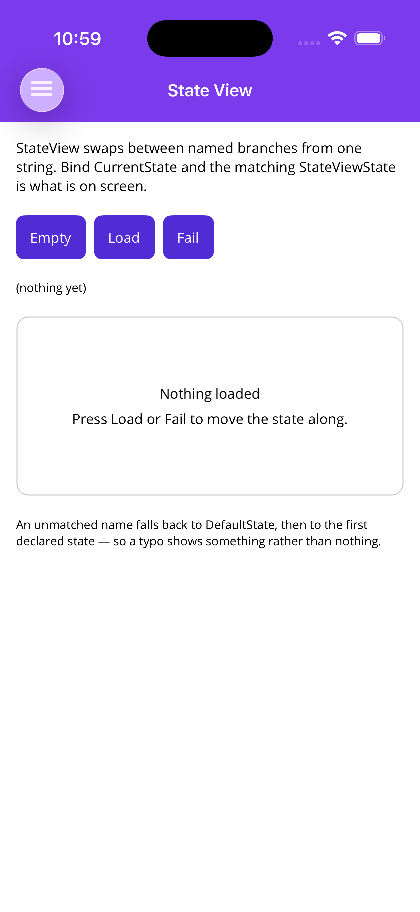
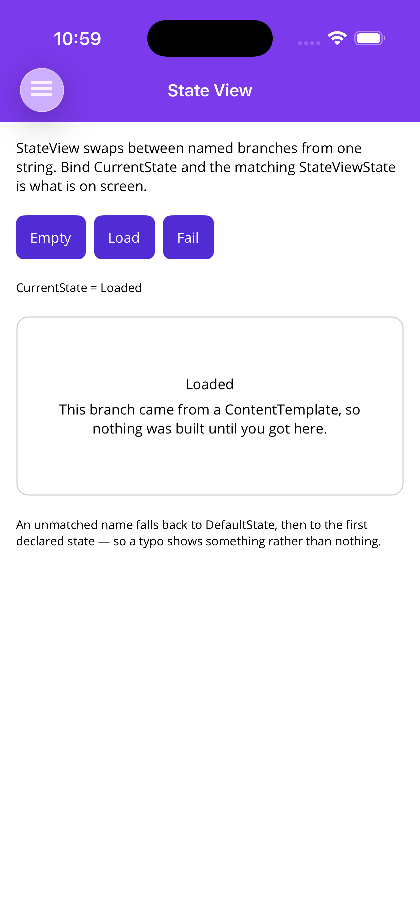
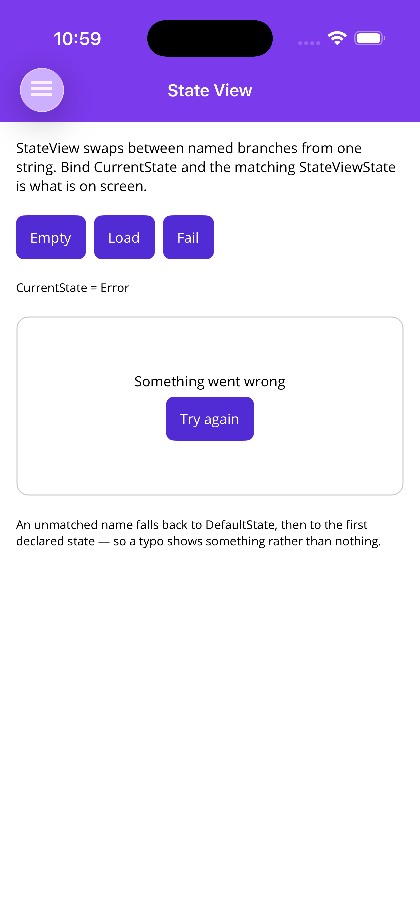
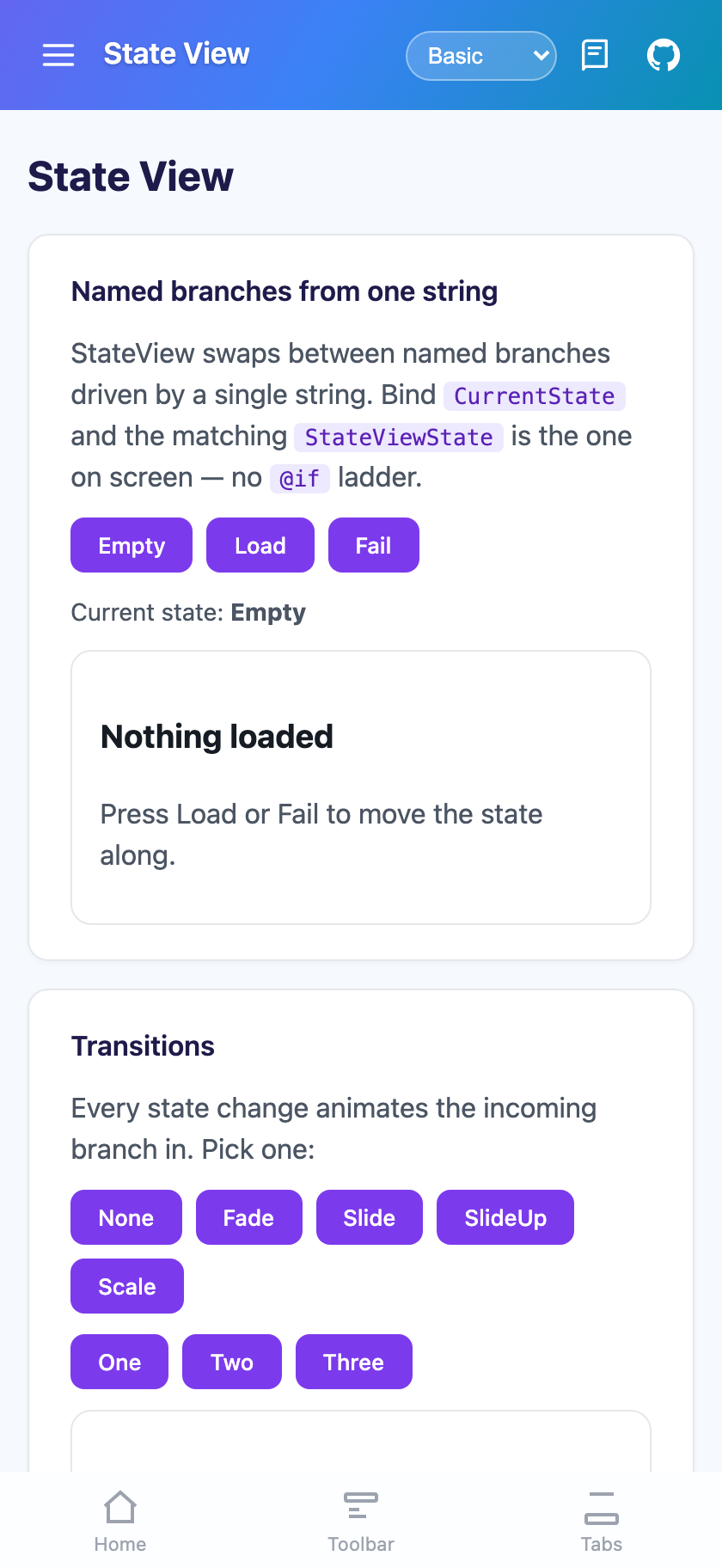
StateView shows exactly one of several named branches, chosen by a string. It is the declarative form of
the IsVisible ladder (MAUI) or the @if/else if/else chain (Blazor) that every screen with more than one
mode grows — bind CurrentState to a view-model property and the matching StateViewState is what is on
screen.


Screenshots
Section titled “Screenshots”MAUI (iOS)
| Empty | Loaded | Error |
|---|---|---|
 |
 |
 |
Blazor
| Empty | Loaded | Error |
|---|---|---|
 |
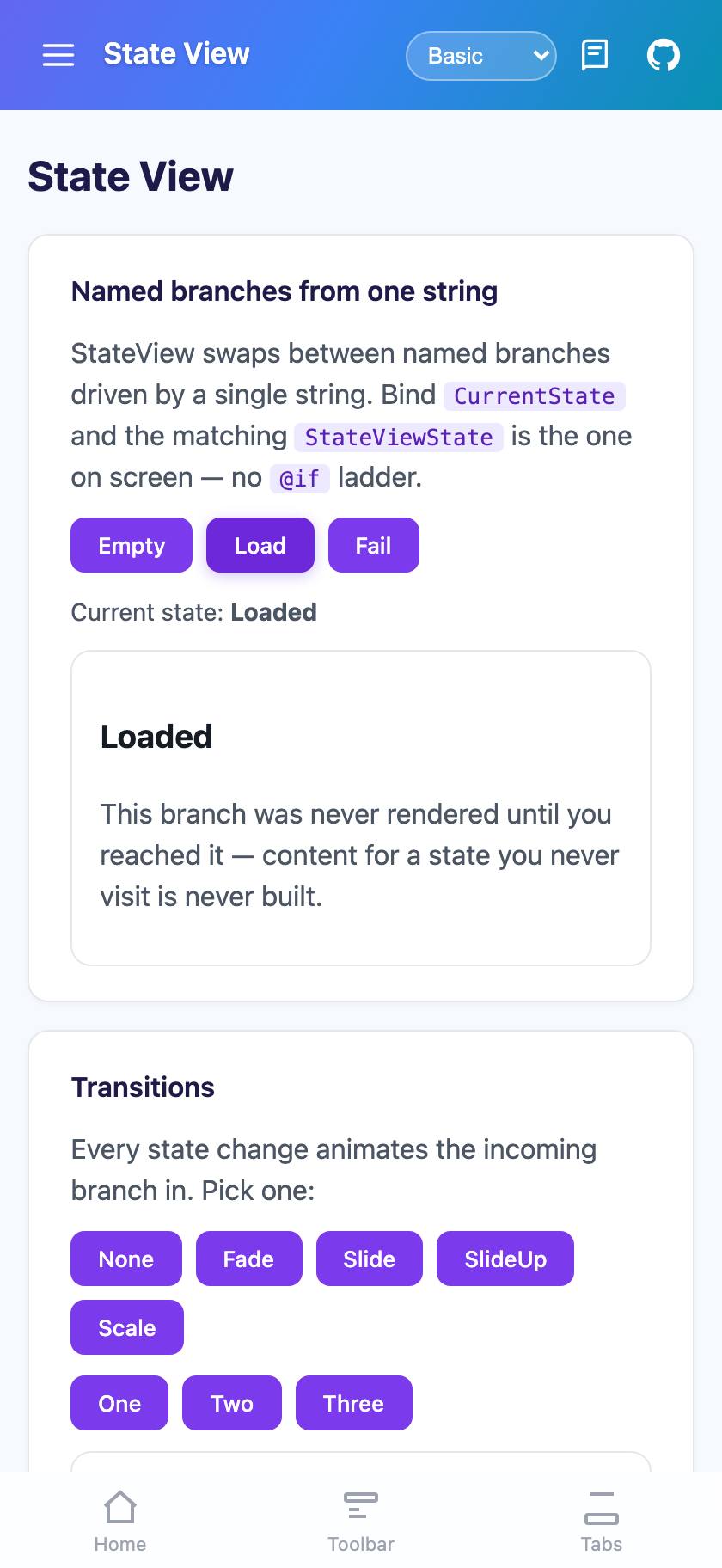 |
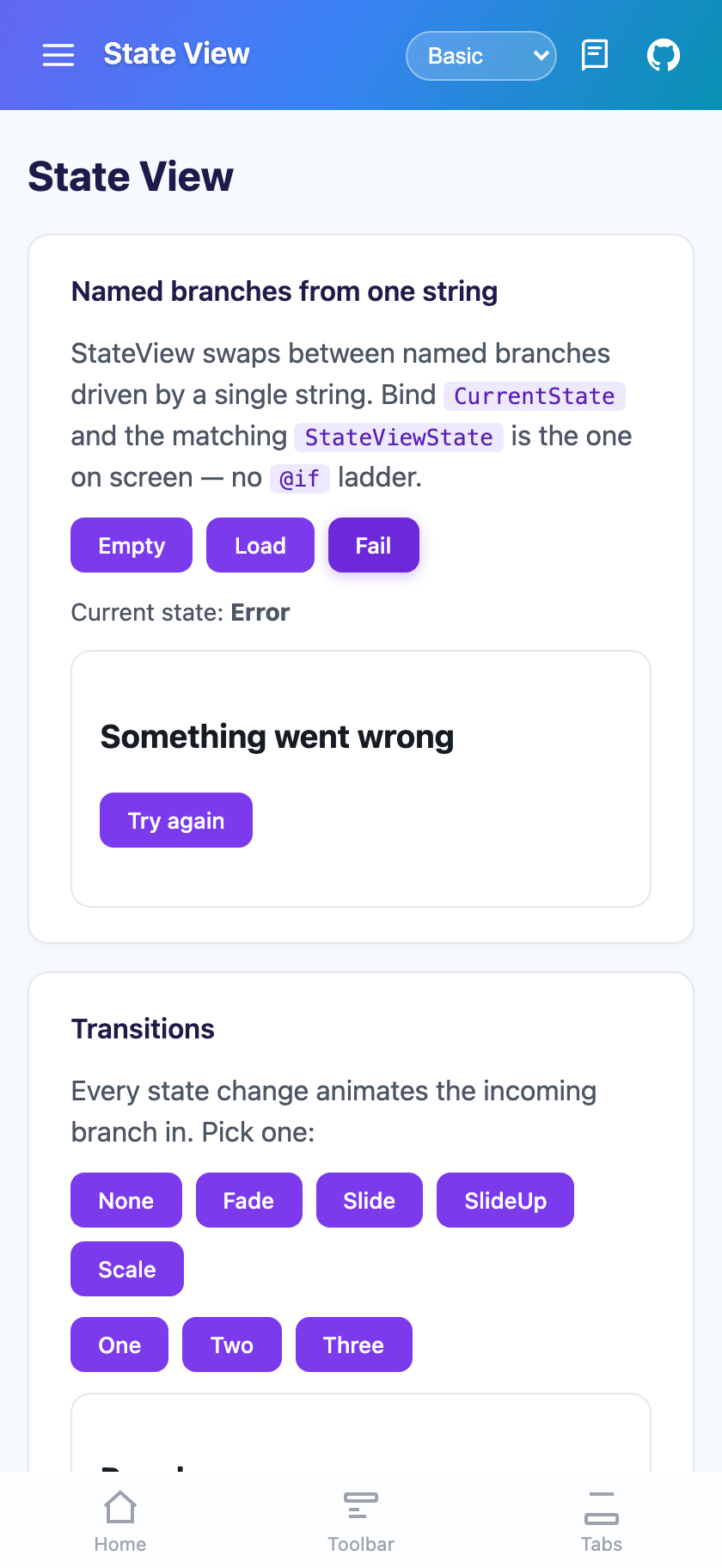 |
Features
Section titled “Features”- One string drives which branch is visible — no visibility ladder to keep in sync
- Ordinal, case-insensitive matching, with a fallback chain (
DefaultState, then the first declared state) so an unmatched name shows something rather than a blank rectangle - Transitions:
Fade,Slide(direction taken from the move),SlideLeft/Right/Up/Down,Scale,None - Lazy branches — a
ContentTemplate(MAUI) is built the first time its state is reached and then cached; on Blazor aStateViewStatehands itsChildContentto the host, so an unreached branch is never built CacheContent="False"rebuilds — and therefore resets — a templated branch on every visit- Only one branch is ever hosted, so the branch you left keeps no bindings or timers alive underneath
Quick Start
Section titled “Quick Start”States is the ContentProperty, so the states are written as direct children. Each StateViewState has
Content as its content property, so a single child view needs no wrapper element.
<shiny:StateView xmlns:shiny="http://shiny.net/maui/controls"                 CurrentState="{Binding CurrentState}"                 Transition="Slide">
    <shiny:StateViewState Name="Empty">        <Label Text="Nothing loaded yet" />    </shiny:StateViewState>
    <shiny:StateViewState Name="Loading">        <ActivityIndicator IsRunning="True" />    </shiny:StateViewState>
    <shiny:StateViewState Name="Loaded">        <local:ReportView />    </shiny:StateViewState>
<shiny:StateViewState Name="Error"> <VerticalStackLayout> <Label Text="Something went wrong" /> <Button Text="Try again" Command="{Binding RetryCommand}" /> </VerticalStackLayout> </shiny:StateViewState></shiny:StateView>[ObservableProperty] string currentState = "Empty";
[RelayCommand]async Task Load(){ this.CurrentState = "Loading"; try { await this.LoadReportAsync(); this.CurrentState = "Loaded"; } catch { this.CurrentState = "Error"; }}MAUI allows a single view per state — wrap several children in a layout.
Blazor
Section titled “Blazor”<StateView @bind-CurrentState="state" Transition="StateTransition.Slide"> <States> <StateViewState Name="Empty"><p>Nothing loaded yet</p></StateViewState> <StateViewState Name="Loading"><ProgressBar IsIndeterminate="true" /></StateViewState> <StateViewState Name="Loaded"><Report /></StateViewState> <StateViewState Name="Error"> <p>Something went wrong</p> <button @onclick="LoadAsync">Try again</button> </StateViewState> </States></StateView>
@code { string state = "Empty";
async Task LoadAsync() { state = "Loading"; try { await LoadReportAsync(); state = "Loaded"; } catch { state = "Error"; } }}ChildContent is accepted as an alias for States, so the wrapper tag can be dropped when nothing else is
being passed.
Lazy branches
Section titled “Lazy branches”A branch that is expensive, or rarely reached, should not be built on the way past. On MAUI that is what
ContentTemplate is for — it is built the first time its state is shown and then cached:
<shiny:StateViewState Name="Loaded"> <shiny:StateViewState.ContentTemplate> <DataTemplate> <local:ExpensiveReportView /> </DataTemplate> </shiny:StateViewState.ContentTemplate></shiny:StateViewState>ContentTemplate wins over Content when both are set. Caching is what keeps a return visit instant and
preserves entry text and scroll position; set CacheContent="False" on the StateView when entering a
branch should reset it instead.
On Blazor this is free: a StateViewState renders nothing itself and hands its ChildContent to the state
view, which renders it only while that state is current.
Transitions
Section titled “Transitions”| Value | Behaviour |
|---|---|
None |
Swap instantly |
Fade |
Fade (MAUI cross-fades the two hosts) |
Slide |
Direction taken from the move — a state later in the markup enters from the right, an earlier one from the left |
SlideLeft |
Always as if moving forwards |
SlideRight |
Always as if moving backwards |
SlideUp / SlideDown |
Vertical |
Scale |
Fade while growing into place |
TransitionDuration is in milliseconds (uint on MAUI, int on Blazor); zero swaps instantly. MAUI also
takes a TransitionEasing.
Blazor animates the incoming branch only. Rendering the outgoing one as well would give a true
cross-fade, but it would also mean every component inside a branch existing twice for the duration of the
transition — duplicated timers, duplicated JS interop, duplicated form state. Both hosts honour
prefers-reduced-motion on Blazor.
Fallback
Section titled “Fallback”CurrentState is matched against StateViewState.Name ordinally and case-insensitively. When nothing
matches, the state view falls back in order:
DefaultState, if it names a declared state- the first declared state
EmptyView(MAUI) /EmptyContent(Blazor), when there are no states at all
That chain is deliberate — a mistyped state name showing the wrong branch is far easier to notice and fix than one showing an empty rectangle.
Properties
Section titled “Properties”| Property | MAUI | Blazor | Default | Description |
|---|---|---|---|---|
CurrentState |
two-way | @bind-CurrentState |
null |
The state to show |
DefaultState |
✅ | ✅ | null |
Fallback when CurrentState is empty or unmatched |
Transition |
✅ | ✅ | Fade |
How the swap animates |
TransitionDuration |
uint |
int |
200 |
Milliseconds |
TransitionEasing |
✅ | — | CubicOut |
MAUI only |
CacheContent |
✅ | — | true |
Keep a ContentTemplate-built view alive after its state is left |
EmptyView / EmptyContent |
View |
RenderFragment |
null |
Shown when nothing matches at all |
States |
IList<StateViewState> |
RenderFragment |
— | The branches |
StateChangedCommand |
✅ | — | null |
Invoked with the new state name |
CurrentStateView / Current |
read-only | read-only | — | The state on screen |
CurrentStateIndex / CurrentIndex |
read-only | read-only | -1 |
Index among the declared states |
Methods — GoTo(string) and GoTo(int) on both hosts; both return false rather than throwing when
the target does not exist.
Events — StateChanged (MAUI, carries PreviousState and CurrentState) / CurrentStateChanged
(Blazor).
StateViewState
Section titled “StateViewState”| Property | MAUI | Blazor | Description |
|---|---|---|---|
Name |
✅ | ✅ | What CurrentState is matched against |
Content |
View (content property) |
— | Built eagerly with the rest of the markup |
ContentTemplate |
DataTemplate |
— | Built on first show, then cached; wins over Content |
ChildContent |
— | ✅ | Rendered by the host while this is the current state |
Related
Section titled “Related”- Wizard — a multi-step flow built on the same model
- SkeletonView — for the loading state of a single content region