


AgentView



MAUI
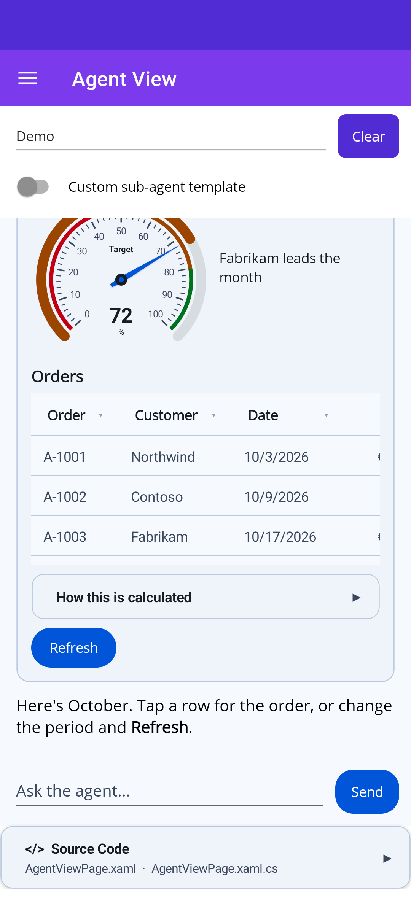
| Frontend tool | One choice | Several choices | Sub-agent & shared state |
|---|---|---|---|
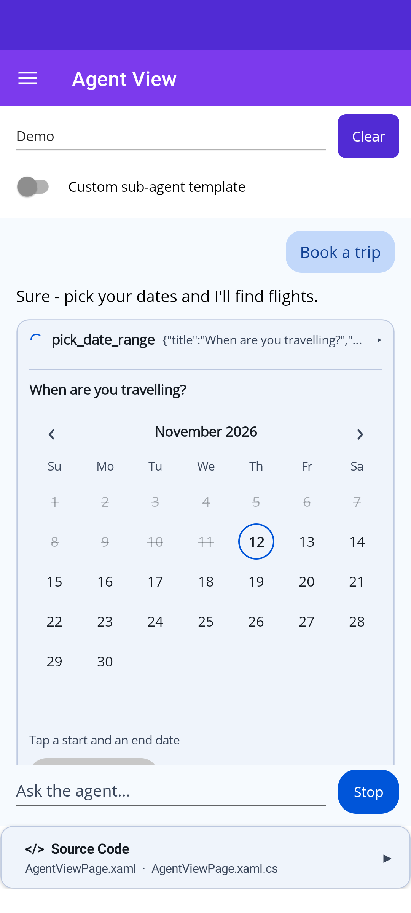 |
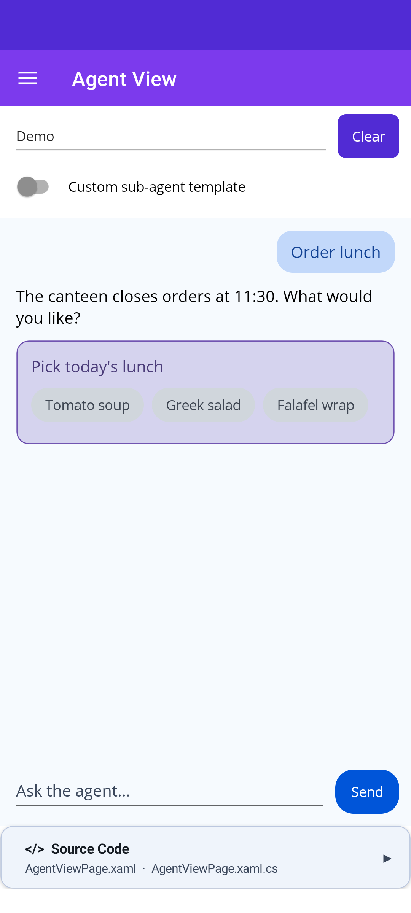 |
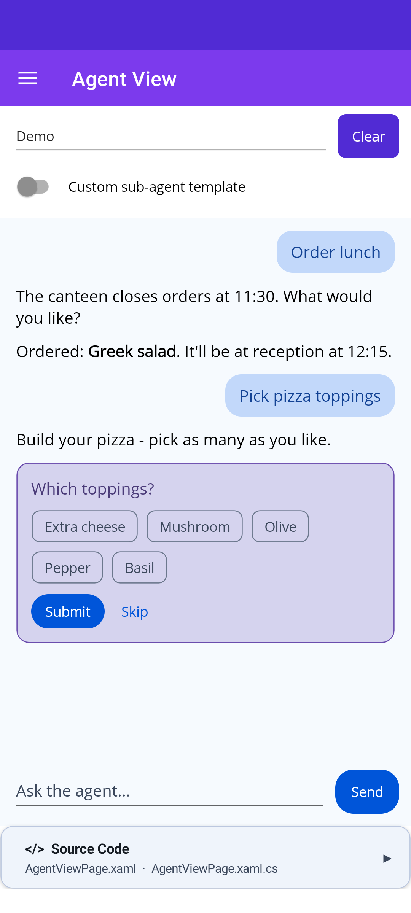 |
 |
Blazor
| Frontend tool | Interrupts | Sub-agent & shared state |
|---|---|---|
 |
 |
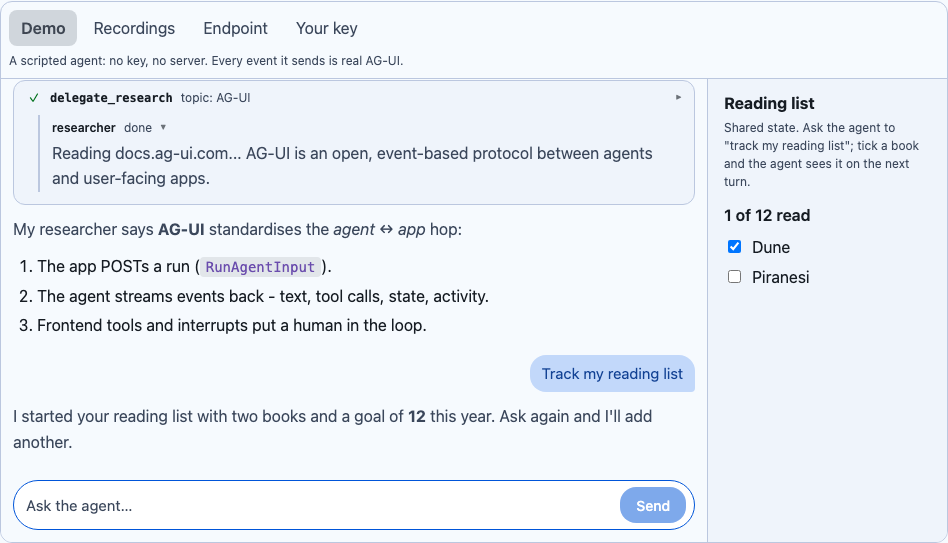 |
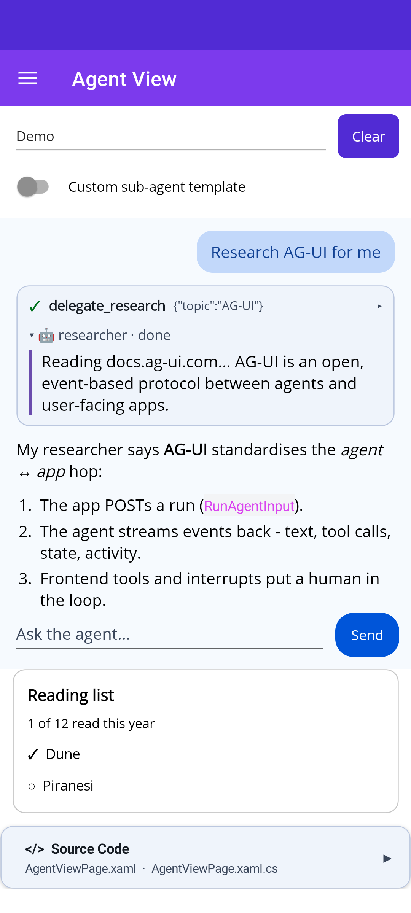
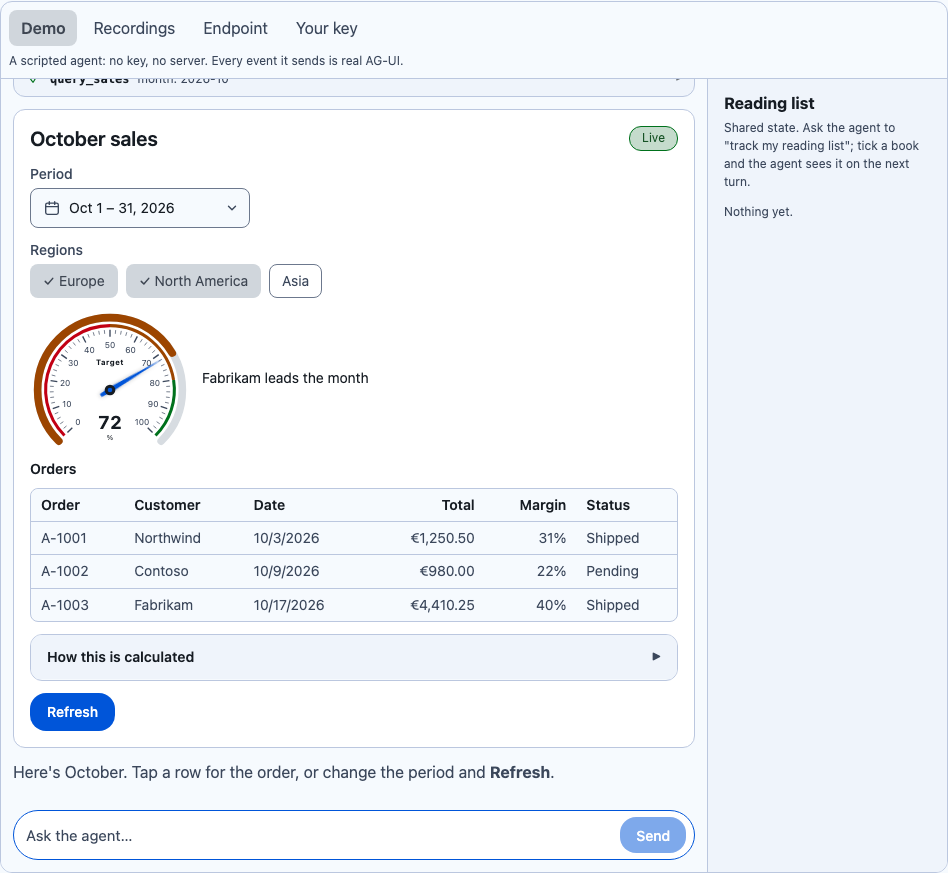
A conversation with an AI agent, rendered from an AG-UI event stream. You hand it a session and it draws everything the agent sends:
- markdown that streams in token by token;
- the model’s reasoning;
- tool call cards with live arguments and results;
- sub-agents working inside a turn, and the step it is on;
- approval prompts, and errors with Retry;
- interactive A2UI surfaces built from real Shiny controls (see A2UISurfaceView).
It sits beside ChatView. ChatView is for people talking to people (read receipts, typing, reactions); AgentView is for a person working with an agent.
The control never sees an HttpClient, a model or an IChatClient. It takes an IAgentSession, which runs one AG-UI
run and streams back the SDK’s BaseEvents. Where the events come from is up to you: Shiny.AiConversation, an
AG-UI endpoint, a test fixture, or a scripted demo.
MAUI
<shiny:AgentView x:Name="Agent" PlaceholderText="Ask anything…" ShowReasoning="Collapsed" />var prompts = new AgentPromptQueue();Agent.Prompts = prompts;Agent.Tools = new AgentToolRegistry().AddAll(prompts); // confirm, choose, date, date range, textAgent.Session = AgentSession.Create("thread-1", myTransport.SendAsync);Blazor
@using Shiny.Blazor.Controls.Agents@using Shiny.Controls.AgentUI
<AgentView Session="@session" Tools="@tools" Prompts="@prompts"           Suggestions="@(["Show me the sales dashboard", "Book a trip"])"           StateChanged="OnStateChanged" />
The view fills its parent and owns the vertical scroll. Give it a real height (a * Grid row on MAUI, or
height:100% / flex:1; min-height:0 on Blazor) and never wrap it in a ScrollView or an overflow:auto parent.
Sessions
Section titled “Sessions”| Source | One line |
|---|---|
Shiny.AiConversation (Shiny.AiConversation.AgUi) |
AgentSession.Create(session.SessionId, session.RunAgUiAsync) |
| Any AG-UI endpoint over HTTP + SSE | Post RunAgentInput and read the stream back with AGUI.Client’s ReadAGUIEventStreamAsync (see samples/Sample/Features/Agents/HttpAgentSession.cs) |
Any IChatClient, in-process (no server, works in WebAssembly) |
input.ToChatRequestContext(...), then chat.GetStreamingResponseAsync(...).AsAGUIEventStreamAsync(context) from the official AGUI.Server package, which has no ASP.NET Core dependency (see samples/Sample/Features/Agents/ChatClientAgentSession.cs) |
| Recorded AG-UI streams | Replay .sse recordings (see samples/Sample/Features/Agents/ReplayAgentSession.cs) |
| Your own code | Implement IAgentSession.RunAsync(RunAgentInput, CancellationToken) |
The samples’ Agent View page switches between four of these: the scripted demo agent (every feature, no key),
recordings of a real AGUI.Server, a live endpoint URL, and your own OpenAI-compatible key. With a key, a real
model runs in the page, and in the Blazor WebAssembly sample that means in the browser. It draws A2UI surfaces from
the Shiny catalog through a render_ui tool and asks you questions through the built-in UI tools. The key stays in
memory and goes only to the endpoint you typed.
Running AGUI.Server in a trimmed WebAssembly app needs <TrimmerRootAssembly Include="AGUI.Abstractions" /> in
the app’s project. Its JSON options reach the interrupt content types by reflection, and trimming strips their
constructor parameter names, so without it every run fails in a published build.
Properties
Section titled “Properties”| Property | Type | Description |
|---|---|---|
Session |
IAgentSession |
The agent. The view creates an AgentRunner for it |
Runner |
AgentRunner |
Or supply your own runner (to share it, or to set Context, MaxToolRounds, SendActivityMessages…) |
Tools |
AgentToolRegistry |
Frontend tools the agent may call; the view runs them and starts the follow-up run |
Prompts |
AgentPromptQueue |
Questions frontend tools are waiting on, drawn inline under their tool card |
Catalogs |
A2UICatalogRegistry |
A2UI catalogs offered to the agent. Default: basic + Shiny |
Renderers |
A2UIRendererRegistry |
A2UI component renderers. Default: basic + Shiny; register your own components here |
ShowReasoning |
AgentReasoningDisplay |
Hidden, Collapsed (default, a “Thought for 4s” row) or Expanded |
ShowSteps |
bool |
A breadcrumb of the agent’s current step while it runs |
PlaceholderText |
string |
The composer’s placeholder |
SendOnEnter |
bool |
MAUI: Enter in the composer sends (default true on the Desktop idiom, false on phones and tablets, where Enter adds a line and Send sends). Pasted multi-line text is always kept |
Suggestions |
IEnumerable<string> |
Chips shown while the conversation is empty |
State |
JsonNode? |
The agent’s shared state (AG-UI STATE_SNAPSHOT / STATE_DELTA). Writes from the app go out with the next run |
Templates (MAUI DataTemplate / Blazor RenderFragment<T>):
| Template | Context | Default |
|---|---|---|
UserMessageTemplate |
AgentMessageItem |
Right-aligned bubble |
AssistantMessageTemplate |
AgentMessageItem |
Full-width streaming markdown with a caret |
ToolCallTemplates[name] |
AgentToolCallItem |
A compact card: name, live arguments, spinner then ✓/✕, expandable JSON |
ActivityTemplates[type] |
AgentActivityItem |
a2ui-surface → A2UISurfaceView; anything else → JSON |
InterruptTemplate |
MAUI AgentInterruptRequest / Blazor AgentInterruptContext |
Approve / Reject, choice buttons, or a text reply (below) |
ErrorTemplate |
AgentErrorItem |
Error row with Retry |
SubagentTemplate |
AgentSubagent |
Indented group with name and status. The template replaces the whole group; on MAUI the binding context is set again as its status changes |
Methods / events: SendAsync(text), Cancel() (Stop), Clear(), RetryAsync(), StateChanged. MAUI
also has RetryCommand and a read-only IsBusy.
Frontend tools and the built-in UI tools
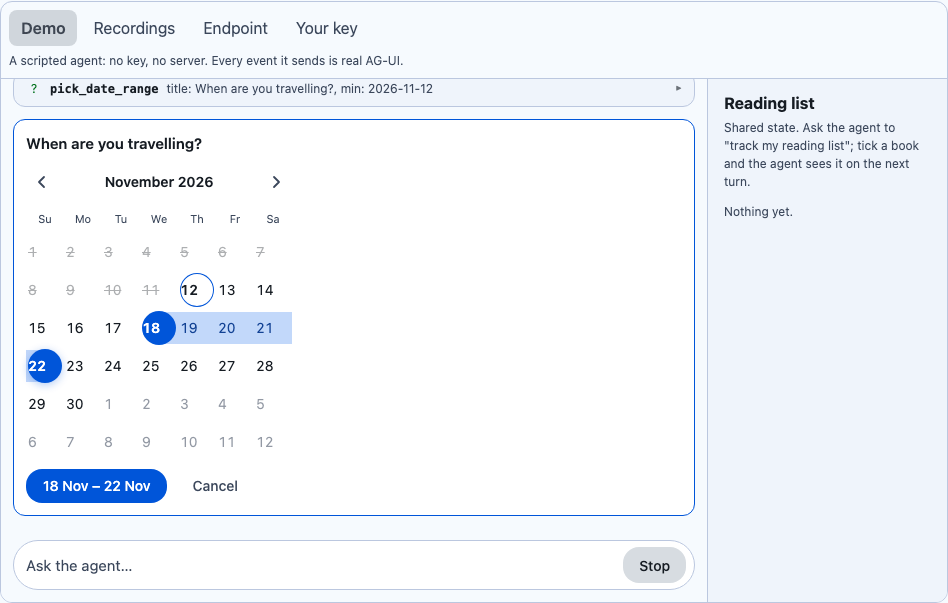
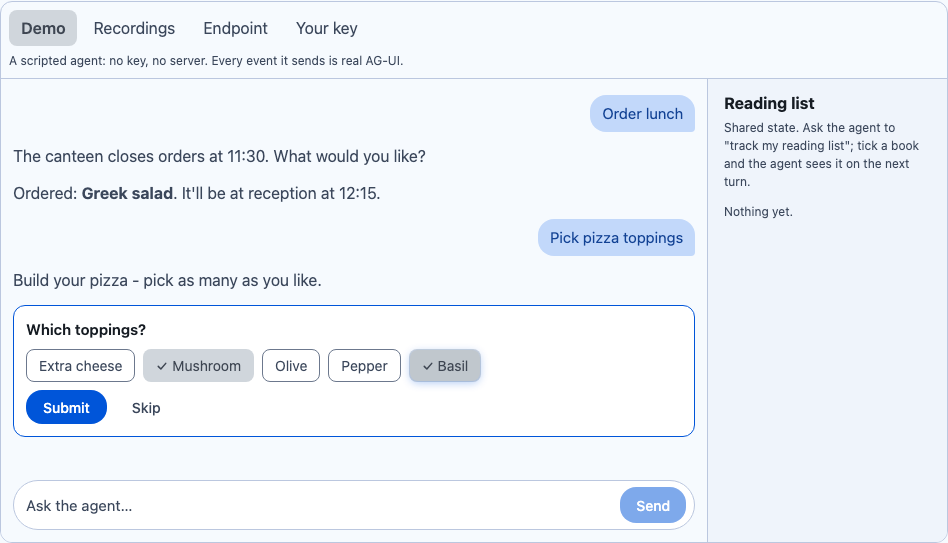
Section titled “Frontend tools and the built-in UI tools”The human-in-the-loop path: the agent asks, a real control answers. AgentUiTools gives six one-line tools.
Each one waits on an AgentPrompt that the view draws inline under the tool card. When the user answers, the
result goes back to the agent and the run continues.
| Tool | Prompt | Result |
|---|---|---|
confirm |
Two buttons | {"confirmed": bool} |
choose_one |
One button per option | {"choice": "..."} |
choose_many |
ChipGroup + Done | {"choices": [...]} |
pick_date |
Calendar | {"date": "YYYY-MM-DD"} |
pick_date_range |
The range picker (with min/max) |
{"start": "...", "end": "..."} |
ask_text |
Entry / text area | {"text": "..."} |
tools.AddAll(prompts); // all sixtools.Add(AgentUiTools.DateRange(prompts)); // or onetools.Add(prompts.CreateTool("pick_color", "Ask for a colour", "color", schema)); // your own kindtools.Add(AgentTool.Create("lookup", "…", MyJson.Default.Args, MyJson.Default.Result, (args, call, ct) => …)); // no UIDeclining a prompt sends a failed tool result (“The user declined.”), so the agent never mistakes it for success. Stop withdraws a waiting prompt.
Interrupts
Section titled “Interrupts”When a run ends with an AG-UI interrupt outcome, the interrupt card shows each pending interrupt in one of
three shapes (AgentInterruptKind):
- Choices. The interrupt’s
metadata.choices([{id, label}], optionalallowMultiple) become buttons or chips, and the answer resumes with{"choiceIds": [...]}. This is how AiConversation’sask_userquestions arrive. - Text. The
responseSchemahas a stringtextproperty, so the card shows an entry and resumes with{"text": "..."}. - Approval. Anything else: Approve resumes with
{"approved": true}; Reject resumes withStatus = Cancelled.
When several interrupts are pending, every answer goes back in one resume.
Layout
Section titled “Layout”- Streaming text is coalesced to about 30 updates a second, and the Markdown add-on rebuilds only the block that changed, so long replies stay smooth (and cheap on Blazor Server).
- The view sticks to the bottom while the agent writes, unless the user has scrolled up; a “jump to latest” pill brings them back.
- A2UI surfaces inside a message size to their content and never scroll vertically. A DataGrid in a message shows up to 12 rows on MAUI, with “Show all N rows” opening a modal. A Card that is a surface’s root drops its edge inside the message, so there is no card-in-bubble double border.
History sent back to the agent
Section titled “History sent back to the agent”AgentRunner sends the whole conversation with each run. Activity messages (A2UI surfaces) and reasoning messages
are left out by default, because the official AG-UI .NET server (AGUI.Server 1.0.1) rejects those roles.
Set Runner.SendActivityMessages / SendReasoningMessages for agents that accept them. A surface’s data still
reaches the agent with each action.
Platform notes
Section titled “Platform notes”- Pure MAUI views (iOS, Android, Mac Catalyst, macOS, Windows, Linux) and pure Razor (WebAssembly, Server, Hybrid).
- The composer is multi-line on both hosts. MAUI’s is an
Editorthat grows with its text up to about five lines and then scrolls inside itself. Enter sends whenSendOnEnteris true; MAUI can’t see Shift, so on the desktop a new line comes from pasting, or turnSendOnEnteroff. Blazor’s is a text area (Enter sends, Shift+Enter adds a new line). - A MAUI app that references
Shiny.Maui.Controls.Agentsgets core’s platform assemblies through it: the add-on (andShiny.Maui.Controls.Markdown) target the same frameworks as core.