


SecurityPin
A PIN entry control with individually rendered cells that captures input through a hidden Entry. Digits are visible by default and can optionally be masked with any character for password-style entry.


Frameworks
.NET MAUI
Blazor
MAUI

Blazor
| Partially entered pin | Six digits, masked |
|---|---|
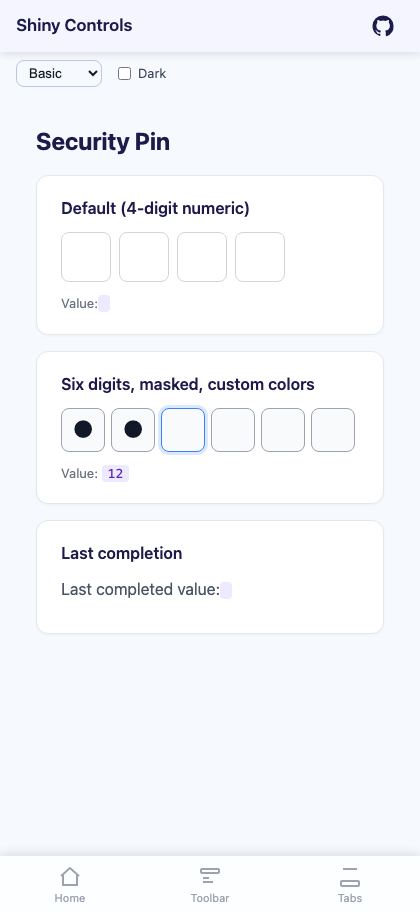 |
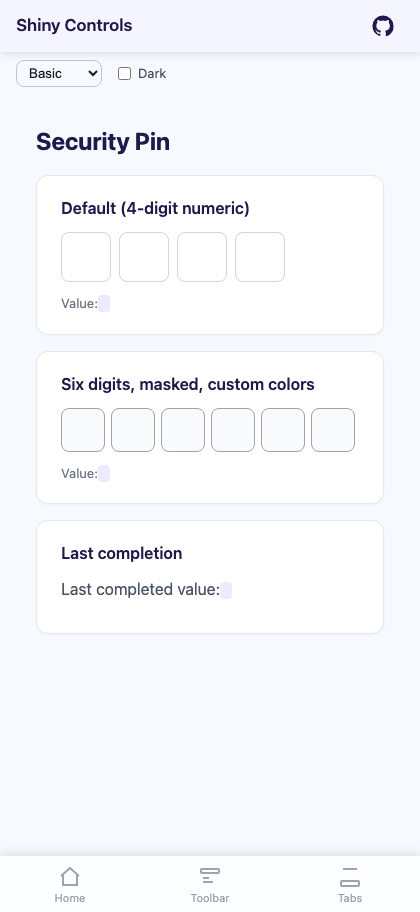 |
Basic Usage
Section titled “Basic Usage”<!-- Visible 4-digit numeric PIN --><shiny:SecurityPin Length="4" Value="{Binding Pin}" Keyboard="Numeric" />
<!-- Masked 6-digit PIN with '*' --><shiny:SecurityPin Length="6" HideCharacter="*" Value="{Binding Pin}" Keyboard="Numeric" />
<!-- Alphanumeric PIN masked with bullets --><shiny:SecurityPin Length="5" HideCharacter="●" Value="{Binding Pin}" Keyboard="Default" />Completion Event
Section titled “Completion Event”<shiny:SecurityPin x:Name="Pin" Length="4" Value="{Binding Pin}" Completed="OnPinCompleted" />void OnPinCompleted(object? sender, SecurityPinCompletedEventArgs e){ var enteredValue = e.Value; // verify the PIN}Properties
Section titled “Properties”| Property | Type | Default | Description |
|---|---|---|---|
Length |
int |
4 |
Number of PIN cells |
Value |
string |
"" |
Current PIN value (TwoWay) |
Keyboard |
Keyboard |
Numeric |
Keyboard type for input |
HideCharacter |
string? |
null |
When set, masks entered characters; when null or empty, shows actual values |
CellSize |
double |
50 |
Width/height of each cell |
CellSpacing |
double |
8 |
Space between cells |
CellCornerRadius |
double |
8 |
Border corner radius |
CellBorderColor |
Color? |
null |
Cell border color |
CellFocusedBorderColor |
Color? |
null |
Border color for the active cell |
CellBackgroundColor |
Color? |
null |
Cell fill color |
CellTextColor |
Color? |
null |
Entered character color |
FontSize |
double |
24 |
Character font size |
UseFeedback |
bool |
true |
Haptic click on each digit entry, long-press on completion |
Events
Section titled “Events”| Event | Args | Description |
|---|---|---|
Completed |
SecurityPinCompletedEventArgs |
Fires when the entered value length reaches Length |
Methods
Section titled “Methods”| Method | Description |
|---|---|
Focus() |
Focus the hidden Entry and bring up the keyboard |
Unfocus() |
Dismiss the keyboard |
Clear() |
Reset the value to empty |
Styling
Section titled “Styling”<shiny:SecurityPin Length="4" HideCharacter="●" CellSize="48" CellSpacing="10" CellCornerRadius="12" CellBorderColor="LightGray" CellFocusedBorderColor="DodgerBlue" CellBackgroundColor="#F5F5F5" CellTextColor="Black" FontSize="22" Value="{Binding Pin}" />Behavior Notes
Section titled “Behavior Notes”- A hidden
Entrycaptures keyboard input; tapping any cell focuses it and brings up the keyboard MaxLengthon the internal Entry is kept in sync withLength- Changing
Lengthrebuilds the cells; a longerValueis truncated - The currently focused cell shows
CellFocusedBorderColorwhen set - When
HideCharacteris null or empty, the actual entered character is displayed
Blazor Usage
Section titled “Blazor Usage”@using Shiny.Blazor.Controls
<SecurityPin Length="4" HideCharacter="●" Value="@pin" ValueChanged="v => pin = v" Completed="OnCompleted" CellSize="48" CellSpacing="10" CellCornerRadius="12" CellBorderColor="#D1D5DB" CellFocusedBorderColor="#3B82F6" CellBackgroundColor="#F5F5F5" CellTextColor="black" />
@code { string pin = "";
void OnCompleted(string value) { // Verify the PIN }}AI Skill
Section titled “AI Skill”Step 1 — Add the marketplace:
claude plugin marketplace add shinyorg/skillsStep 2 — Install the plugin:
claude plugin install shiny@shinyOne plugin installs all 48 Shiny skills. Your agent loads only the skill relevant to what you're building, so there's no cost to having them all available.
Step 1 — Add the marketplace:
copilot plugin marketplace add https://github.com/shinyorg/skillsStep 2 — Install the plugin:
copilot plugin install shiny@shinyOne plugin installs all 48 Shiny skills. Your agent loads only the skill relevant to what you're building, so there's no cost to having them all available.