


Gantt
GanttView is a project timeline: a task grid on the left, a scrolling time axis on the right, and
bars you can drag. It covers the things that make a Gantt a Gantt rather than a bar chart of dates —
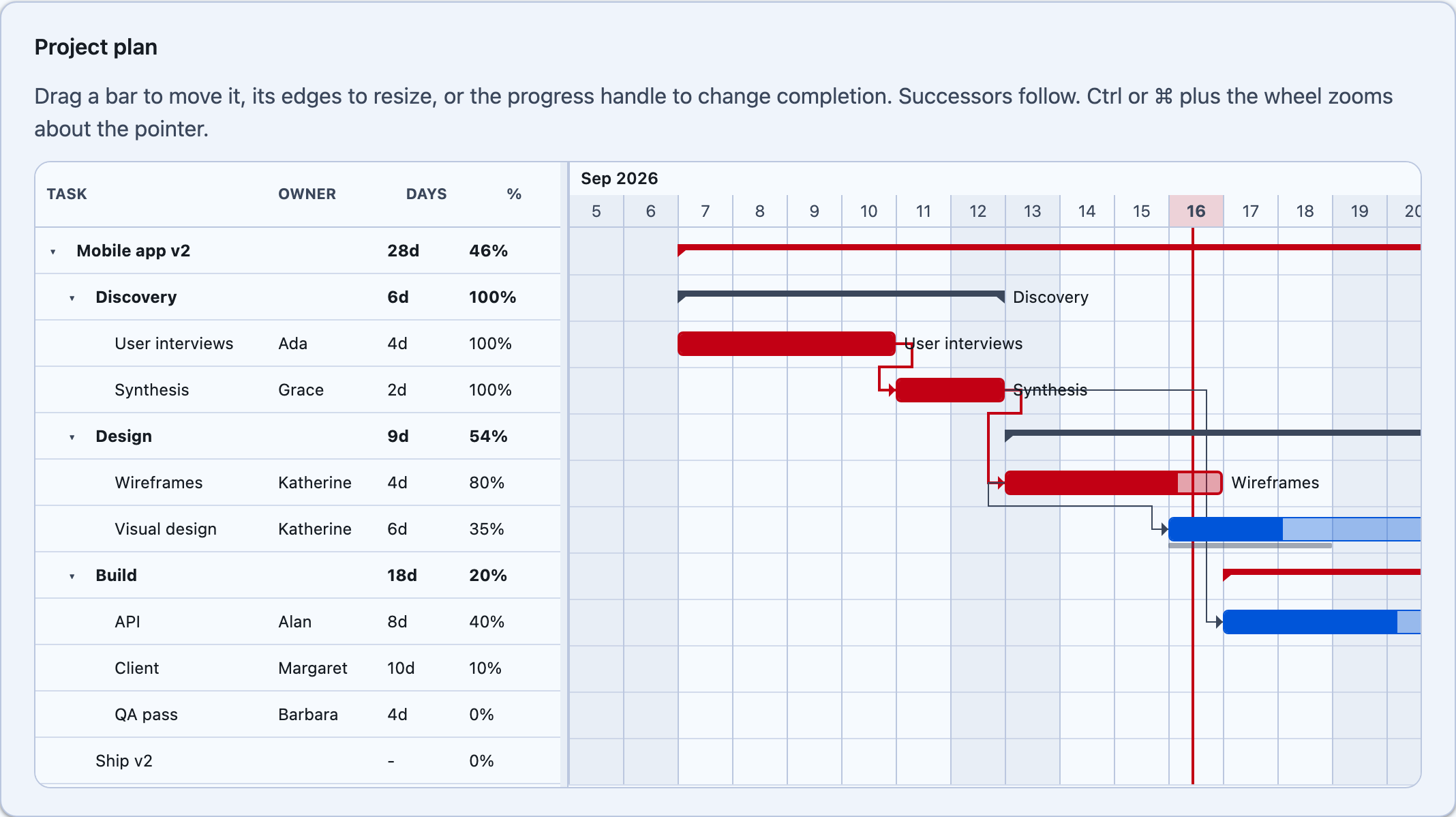
hierarchy with rolled-up summaries, typed dependency arrows with lag, working-time calendars,
constraints, baselines, deadlines, and a critical path.



MAUI
| Critical path | Plain plan |
|---|---|
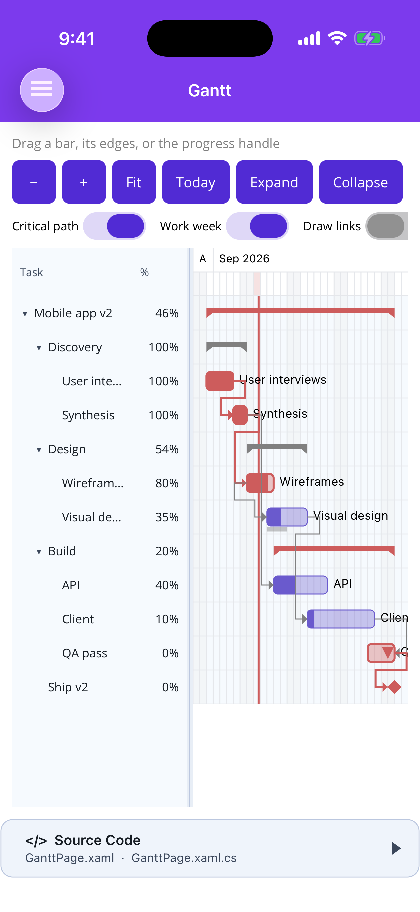 |
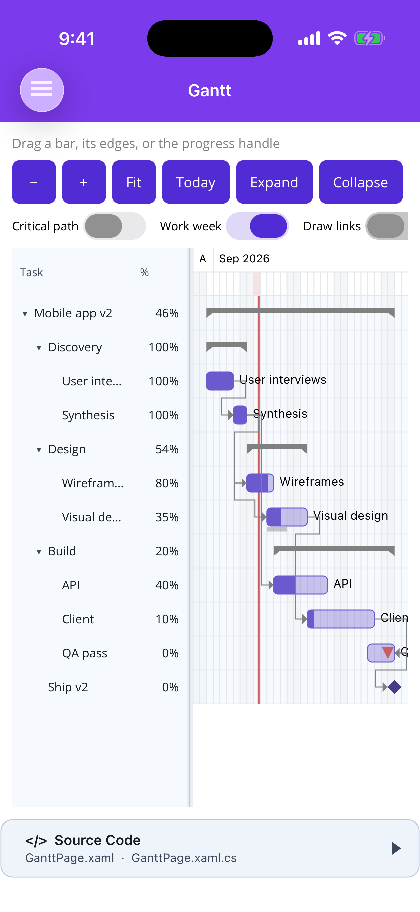 |
Blazor
| Critical path | Plain plan |
|---|---|
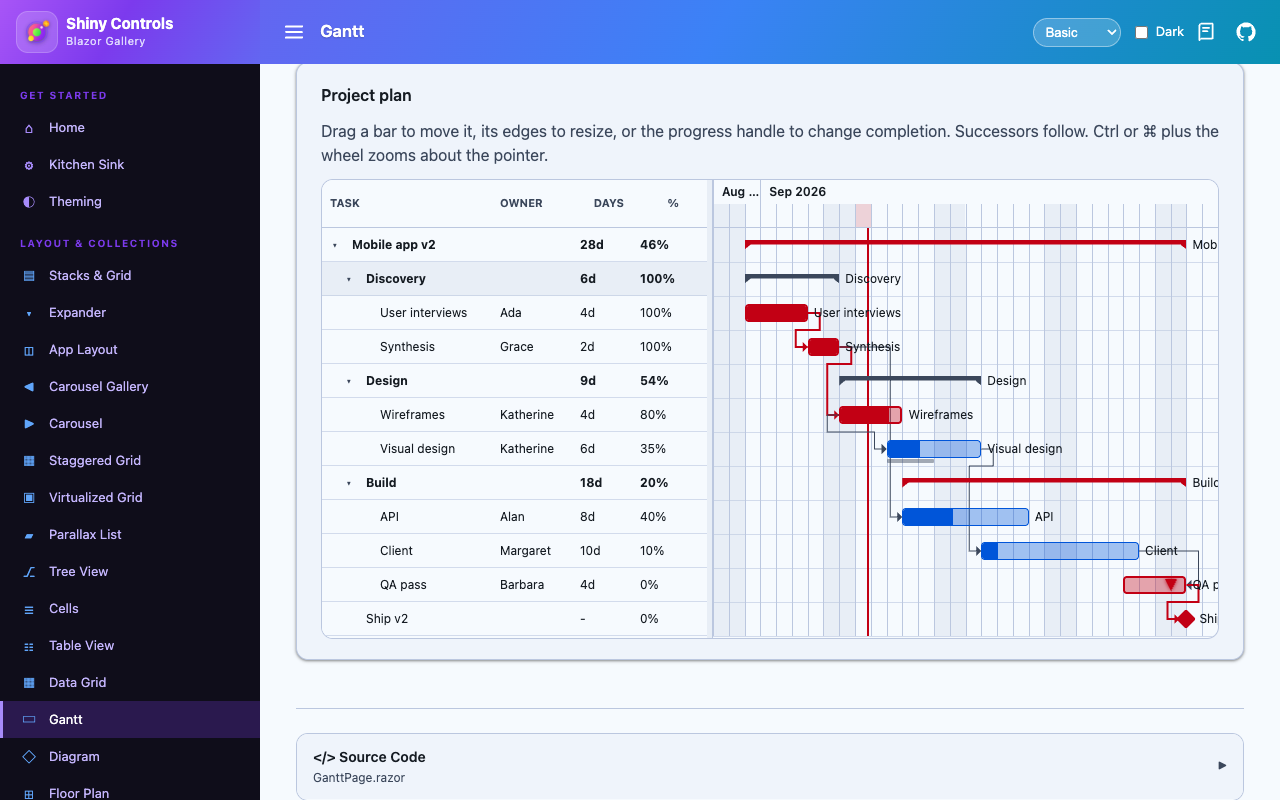 |
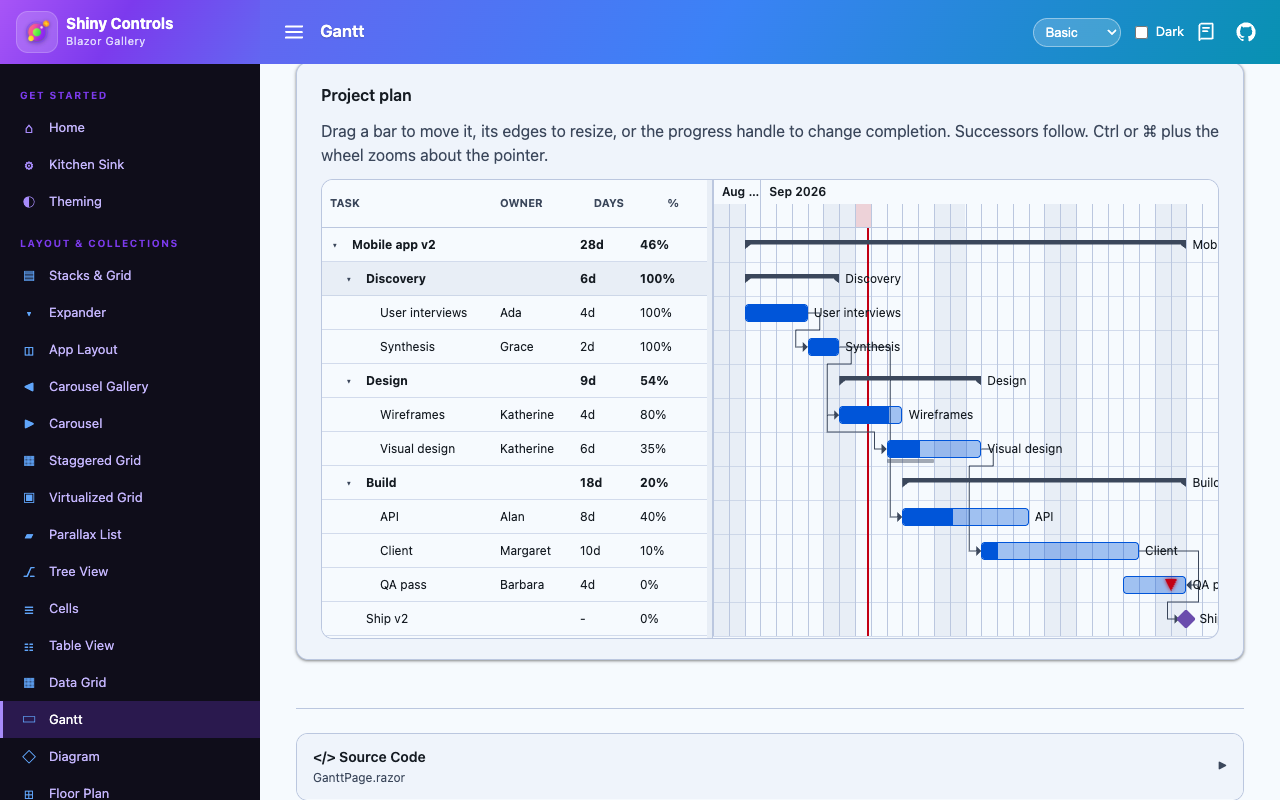 |
| Baselines | Week scale |
|---|---|
 |
 |
One engine, two hosts
Section titled “One engine, two hosts”A Gantt is mostly arithmetic. Working out that a three-working-day task dragged onto a Friday now finishes on Wednesday, that pushing it drags four successors with it, that one of those has a must-start-on constraint holding it, and that the whole chain is now on the critical path — none of that wants to know whether it is drawing into a MAUI layout or a CSS grid.
So it doesn’t. Shiny.Controls.Gantt.Shared owns the model, the calendars, the scheduler, the
critical path and the time-to-pixel geometry — down to the exact rectangle every bar occupies and the
polyline every arrow follows. Both controls are thin: they turn gestures into a GanttSchedulePlan
and paint what the engine tells them to.
A plan that schedules differently on the two hosts is a bug neither host’s own tests would ever notice, so the arrangement removes the possibility rather than testing for it. The package is dependency-free, trimmable and AOT-clean, and is perfectly usable on its own — for a scheduling API, a background job, or a test — with no UI at all.
Features
Section titled “Features”| Feature | Description |
|---|---|
| Hierarchy | expressed as a flat list with ParentId, as nested Children, or both at once |
| Summary rollups | parent dates and progress derived from children, progress weighted by duration |
| Milestones | zero-duration diamonds |
| Dependencies | all four types (finish-to-start, start-to-start, finish-to-finish, start-to-finish) with positive or negative lag, drawn as routed elbow arrows |
| Working calendars | working days, shifts within a day, holidays and per-date exceptions |
| Constraints | must-start-on, start-no-earlier-than, finish-no-later-than and the rest |
| Baselines & deadlines | the original plan drawn under the live bar; a marker for the date it must not pass |
| Drag to schedule | move a bar, resize either edge, drag the progress handle; successors follow |
| Draw links | drag between connector dots to create a dependency |
| Critical path | total slack per task, with the zero-slack chain highlighted |
| Task pane | configurable columns, tree indent and expanders, draggable splitter |
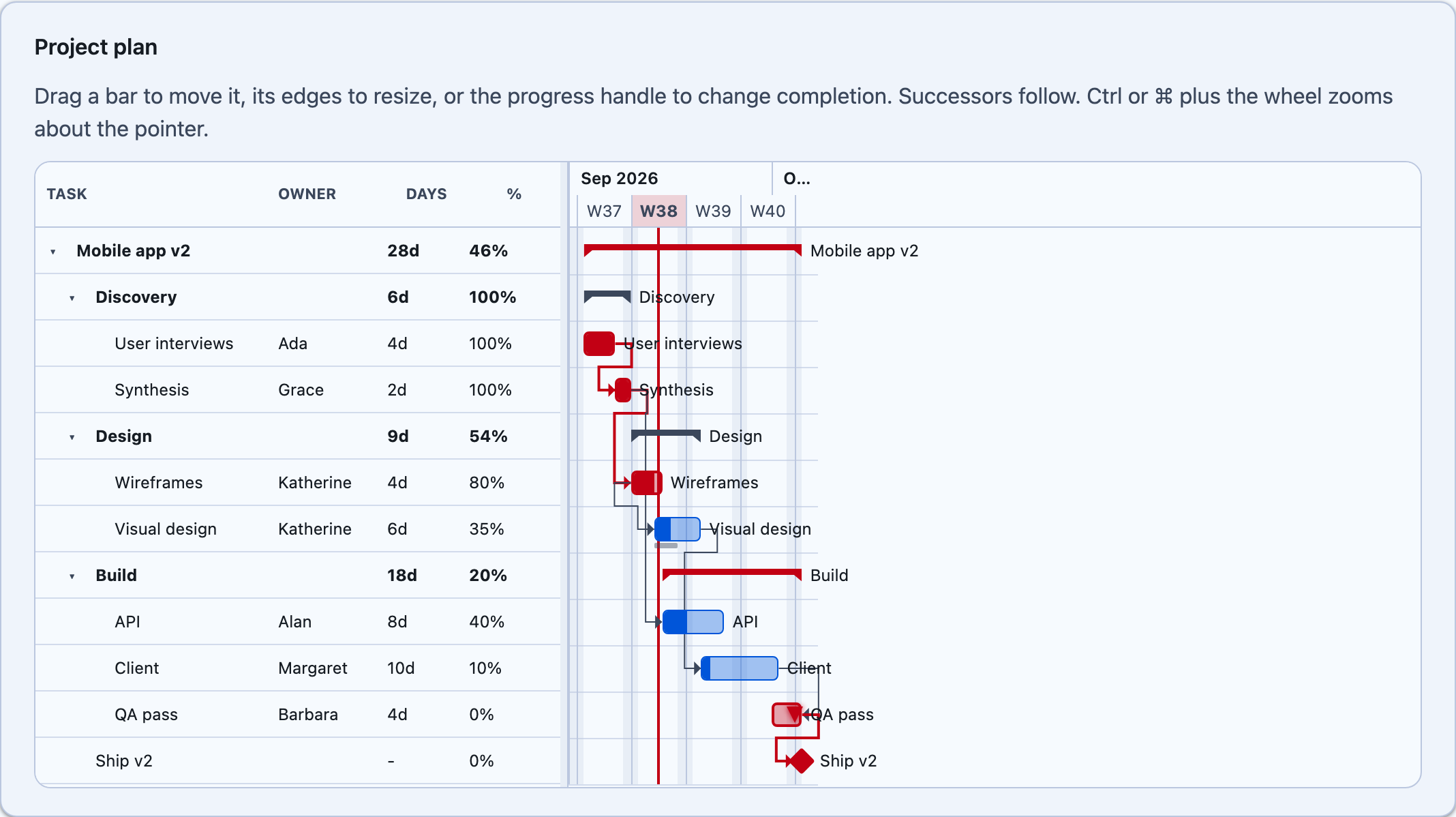
| Zoom | minute through year, anchored pinch (MAUI) and ctrl/⌘-wheel (Blazor), zoom-to-fit |
| Undo | every edit is a revertible plan |
| Theming | every colour follows the theme tokens on both hosts |
Quick start
Section titled “Quick start”using Shiny.Controls.Gantt;
var tasks = new ObservableCollection<GanttTask>{ new() { Id = "design", Name = "Design", Start = start, End = start.AddDays(5) }, new() { Id = "wire", Name = "Wireframes", ParentId = "design", Start = start, End = start.AddDays(3), Progress = 0.8, ResourceId = "Ada" }, new() { Id = "ship", Name = "Ship", Kind = GanttTaskKind.Milestone, Start = start.AddDays(20) }};
var links = new ObservableCollection<GanttDependency> { new("wire", "ship") };MAUI
xmlns:shiny="http://shiny.net/maui/controls"xmlns:gantt="clr-namespace:Shiny.Controls.Gantt;assembly=Shiny.Controls.Gantt.Shared"
<shiny:GanttView Tasks="{Binding Tasks}"                 Dependencies="{Binding Dependencies}"                 Calendar="{x:Static gantt:GanttCalendar.StandardDays}"                 ShowCriticalPath="True"                 TimeScale="Day"                 TaskChanged="OnTaskChanged">    <shiny:GanttView.Columns>        <shiny:GanttColumn Header="Task" Field="Name" Width="160" ShowHierarchy="True" />        <shiny:GanttColumn Header="Owner" Field="Resource" Width="90" />    </shiny:GanttView.Columns></shiny:GanttView>
Blazor
@using Shiny.Blazor.Controls.Gantt@using Shiny.Controls.Gantt
<div style="height:460px"> <GanttView Tasks="tasks" Dependencies="links" Calendar="GanttCalendar.StandardDays" ShowCriticalPath="true" TimeScale="GanttTimeScale.Day" Columns="columns" OnTaskChanged="OnTaskChanged" /></div>Editing produces a plan, not a mutation
Section titled “Editing produces a plan, not a mutation”Every gesture builds a GanttSchedulePlan before anything moves — the edited task first, then
every task the auto-scheduler would drag along. That is what lets you veto an edit with the whole
consequence in front of you:
void OnTaskChanging(GanttTaskChangingArgs e){ if (e.Plan.Changes.Any(c => c.NewEnd > this.freezeDate)) e.Cancel = true;}…and it gives you undo for nothing, because a plan reverts itself, cascade included:
readonly Stack<GanttSchedulePlan> undo = new();
void OnTaskChanged(GanttTaskChangedArgs e) => this.undo.Push(e.Plan);void Undo() => this.undo.Pop().Revert();
CascadeMode decides how far an edit ripples: PushOnly (the default — successors move later, never
earlier), Strict (re-derived in both directions), or None (nothing else moves; broken links are
reported instead).
Validation never throws
Section titled “Validation never throws”Real project data routinely contains a dangling dependency, a duplicate id, or a task that misses its deadline. A control that threw on one would be unusable against it; one that silently dropped it would be worse.
So a plan that fails validation still renders, and GanttModel.Issues says what is wrong — read it
from PlanBuilt (MAUI) or OnPlanBuilt (Blazor). Cycles are the one case that genuinely blocks an
edit: a cyclic graph has no schedule to compute, so drawing a link that would close one is refused.