


Gauge
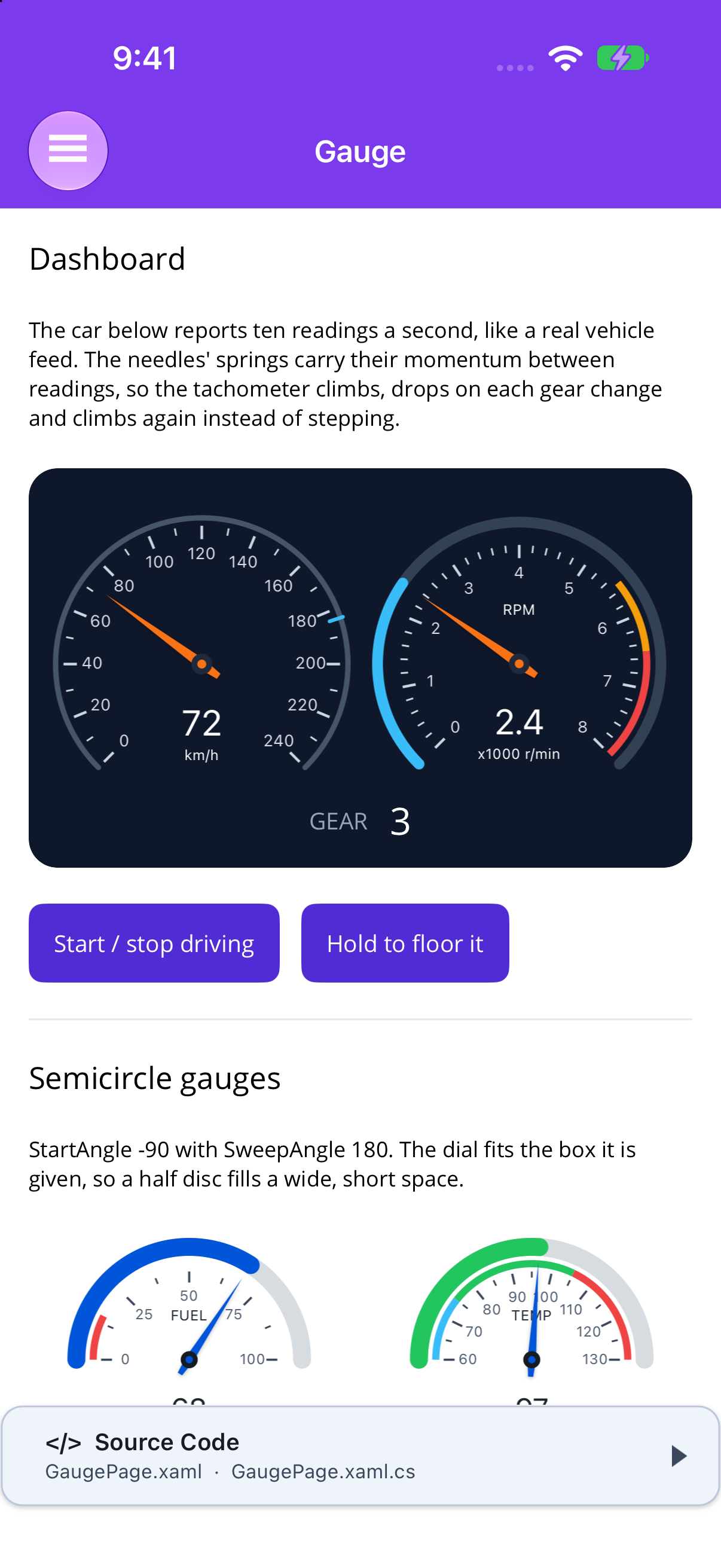
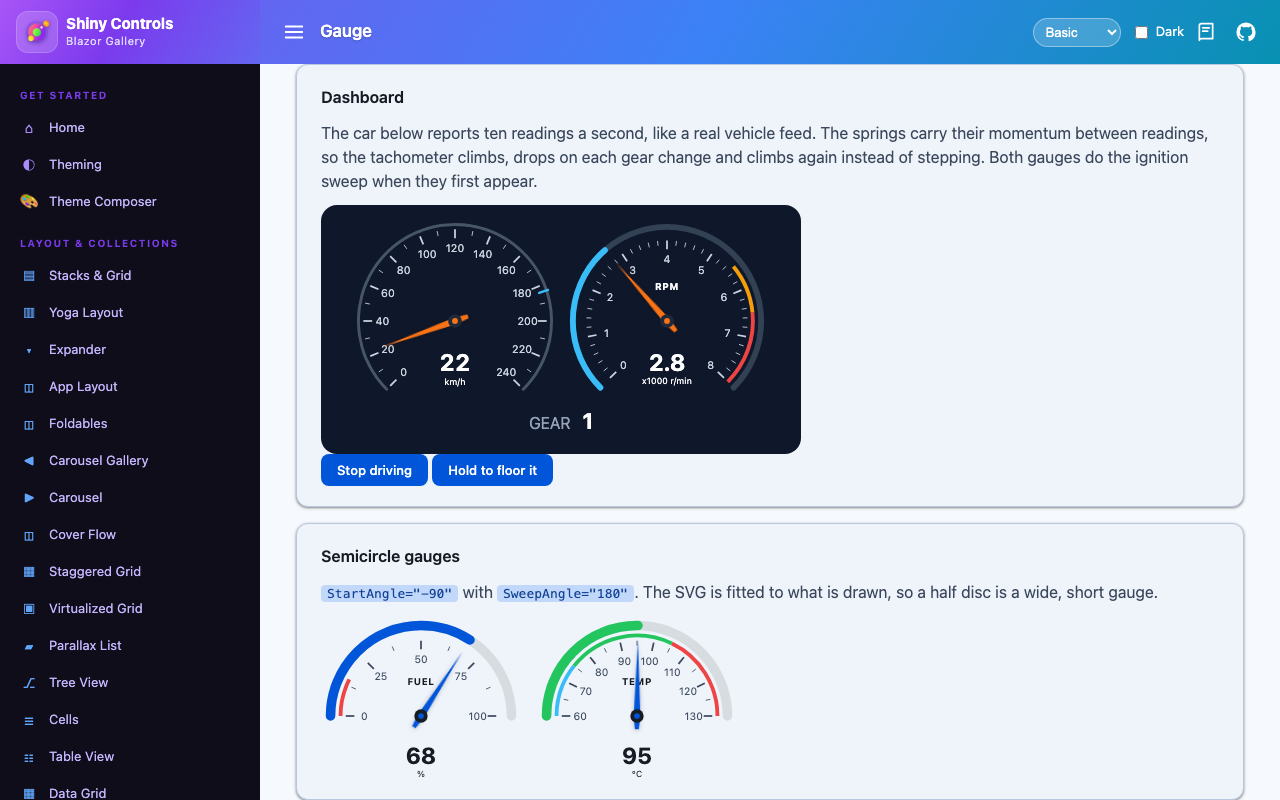
A dial gauge, such as a speedometer, tachometer, fuel or temperature gauge, or a needle-less ring meter. Its needle animates itself like a real instrument’s.



MAUI
| Dashboard | Semicircle and ring | Playground |
|---|---|---|
 |
 |
 |
Blazor
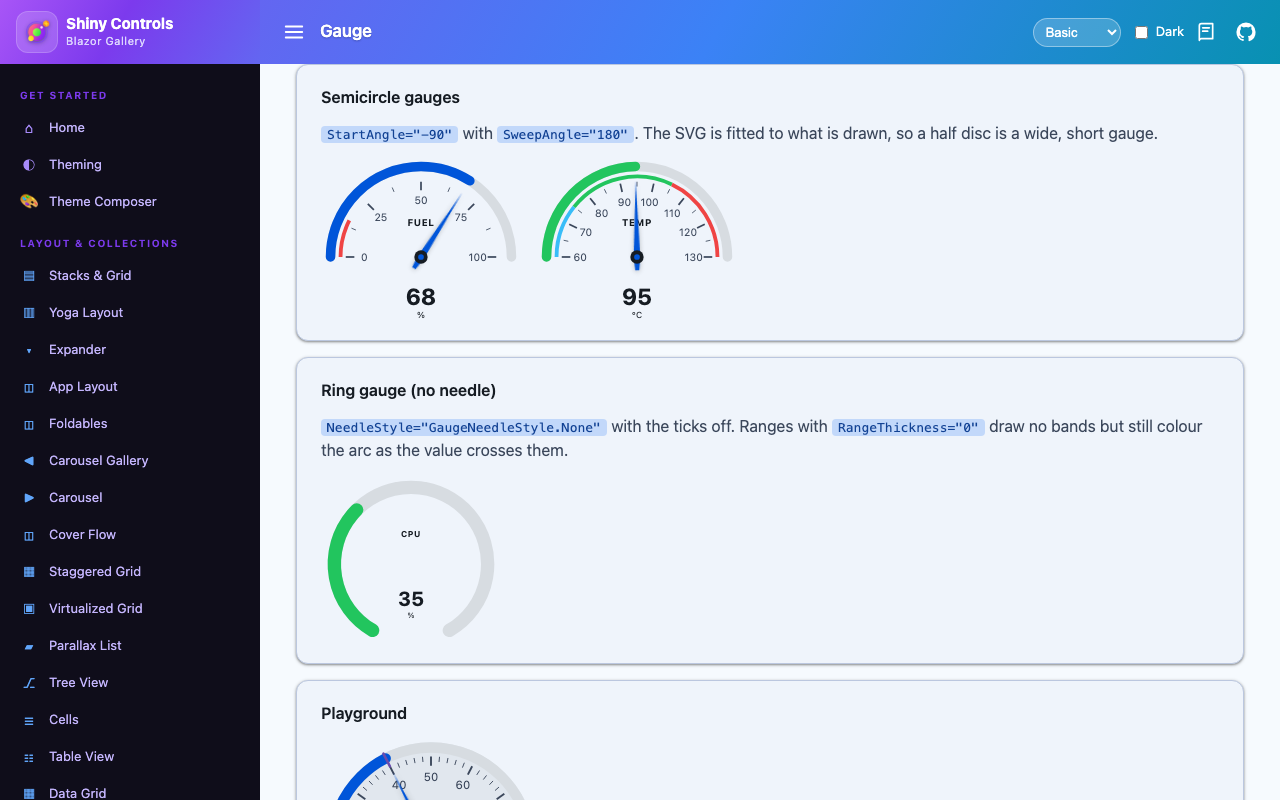
| Dashboard | Semicircle and ring |
|---|---|
 |
 |
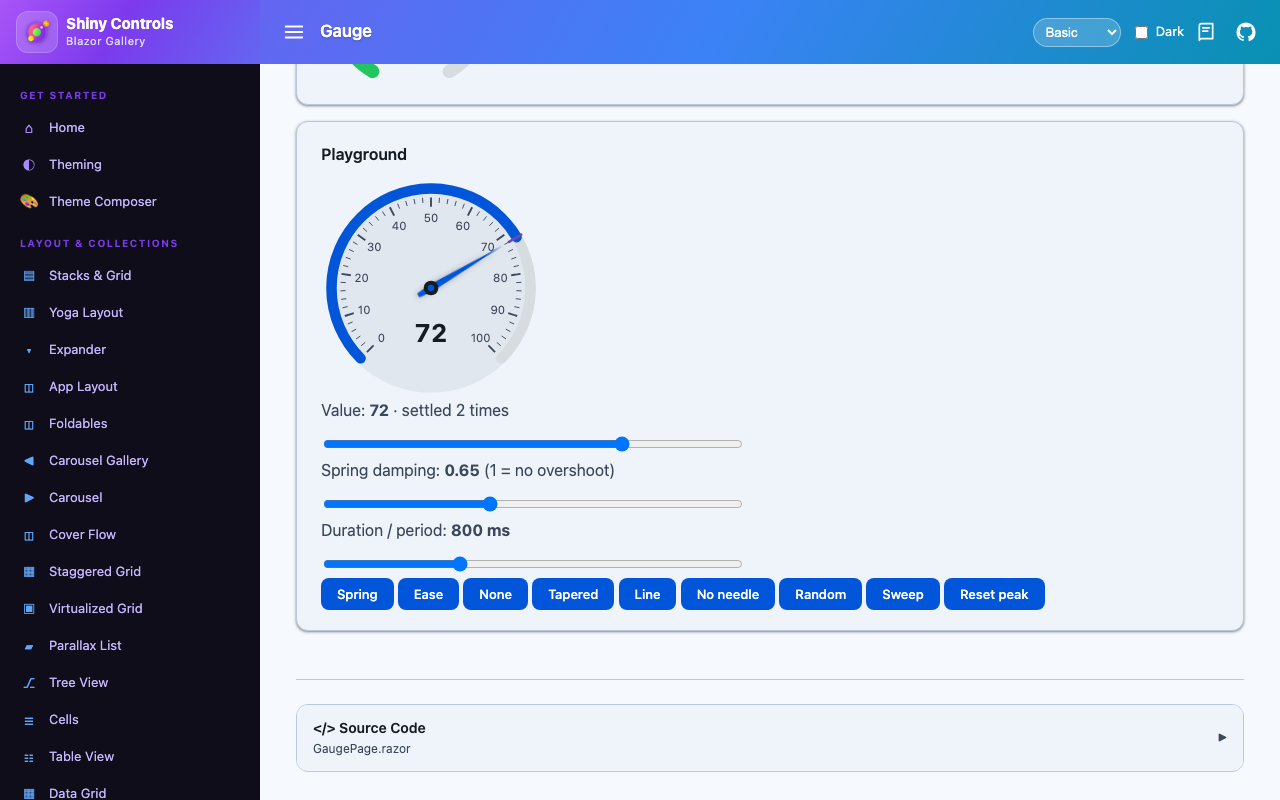
| Playground |
|---|
 |
Features
Section titled “Features”| Feature | Description |
|---|---|
| Real needle physics | The default spring accelerates the needle, keeps its momentum when the reading changes mid-flight, overshoots by SpringDamping and settles. A feed of ten readings a second becomes one smooth sweep, not a staircase. |
| Stop pegs | An overshoot that would carry the needle off the dial hits the peg and bounces back, so revving into the redline looks like it does in a car. |
| Ignition sweep | SweepOnLoad swings the needle out to the maximum and back the first time the gauge appears. Sweep() / SweepAsync() runs it on demand. |
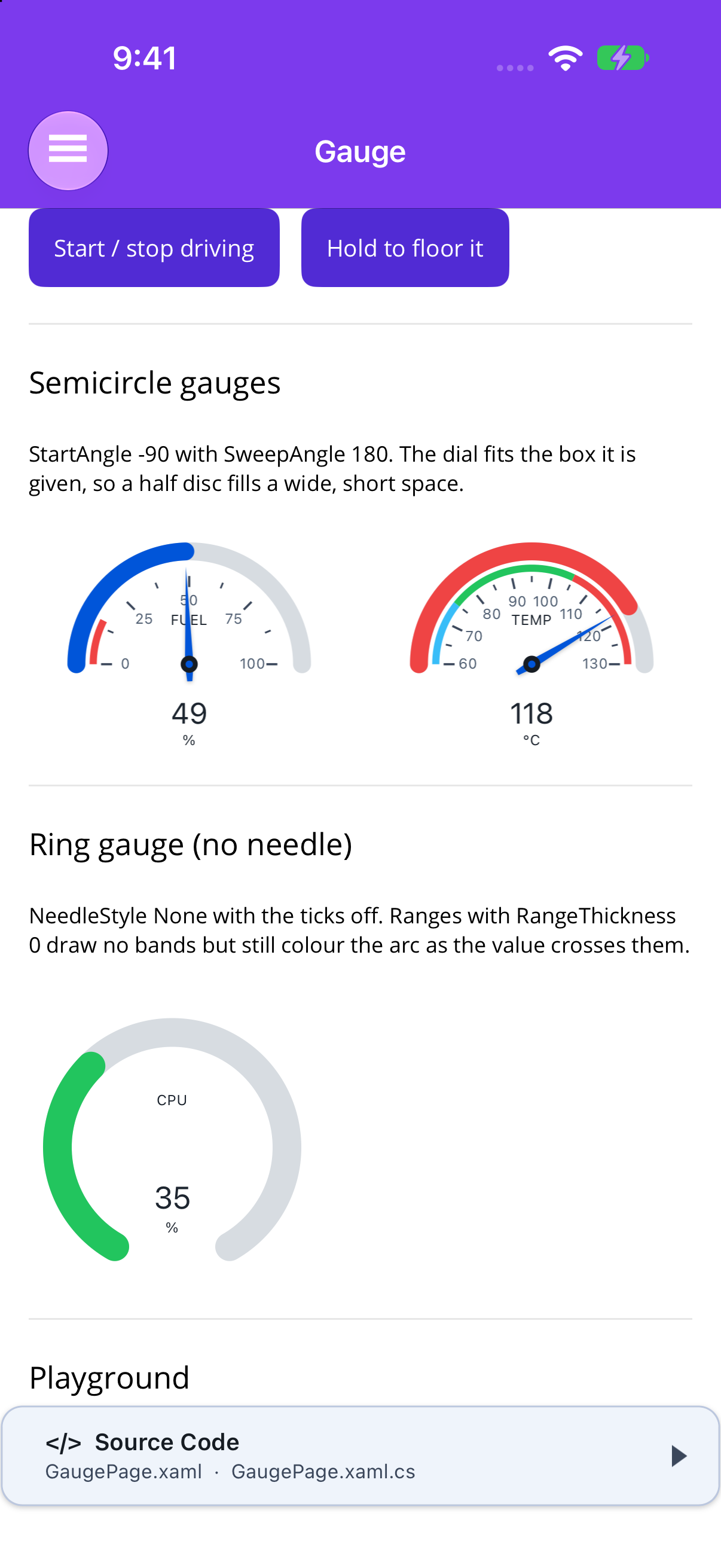
| Any shape | Compass angles: a 270° speedometer by default, a semicircle at -90/180, a ring with no needle. The dial is fitted to what is drawn, so a semicircle fills a wide, short box. |
| Ranges and redline | Coloured bands just inside the track. ColorValueArcByRange turns the whole value arc red as the needle crosses into the redline. |
| Readout that counts | The digital readout follows the needle, not the target, with Units and a Title. |
| Peak hold | ShowPeak marks the highest reading (never the spring’s overshoot) until ResetPeak(). |
| Auto ticks | A 1-2-5 major interval picked for about ten labels (0-240 gets 20, 0-8 gets 1), with minor ticks between. |
| Costs nothing at rest | MAUI ticks on the shared frame clock only while a needle is moving. Blazor animates in requestAnimationFrame, with no render batch or Blazor Server round trip per frame. |
| Themed | Every colour falls back to a theme token; nothing draws an edge of its own unless you set FaceColor. |
Basic Usage
Section titled “Basic Usage”.NET MAUI
Section titled “.NET MAUI”<shiny:Gauge Value="{Binding Rpm}" Maximum="8" MajorTickInterval="1" Title="RPM" Units="x1000 r/min" ReadoutDecimals="1" SweepOnLoad="True" SpringDamping="0.55" WidthRequest="200" HeightRequest="200"> <shiny:Gauge.Ranges> <shiny:GaugeRange Start="5.5" End="6.5" Color="#F59E0B" /> <shiny:GaugeRange Start="6.5" End="8" Color="#EF4444" /> </shiny:Gauge.Ranges></shiny:Gauge>The MAUI gauge is a GraphicsView drawn with Microsoft.Maui.Graphics, so it is the same control on iOS, Android, Mac Catalyst, macOS, Windows and Linux. GaugeRange items inherit the gauge’s BindingContext, so Start="{Binding Redline}" works.
Blazor
Section titled “Blazor”@using Shiny.Controls.Gauge
<Gauge Value="@rpm" Maximum="8" MajorTickInterval="1" Title="RPM" Units="x1000 r/min" ReadoutDecimals="1" SweepOnLoad="true" SpringDamping="0.55" Ranges="ranges" Size="200px" />
@code { static readonly IReadOnlyList<GaugeRange> ranges = [new(5.5, 6.5, "#F59E0B"), new(6.5, 8, "#EF4444")];}The dial is SVG and the needle is moved by gauge.js with the same physics as the shared engine. During prerendering or static SSR, with no script, the needle is drawn at the value. prefers-reduced-motion makes it snap.
Shapes
Section titled “Shapes”Angles are compass degrees: 0 is 12 o’clock, and angles increase clockwise.
| Shape | StartAngle | SweepAngle |
|---|---|---|
| Speedometer (default) | -135 | 270 |
| Semicircle | -90 | 180 |
| Modern ring | -150 | 300, with NeedleStyle="None" |
| Full circle | 0 | 360 |
Animation
Section titled “Animation”| Animation | Behaviour |
|---|---|
Spring (default) |
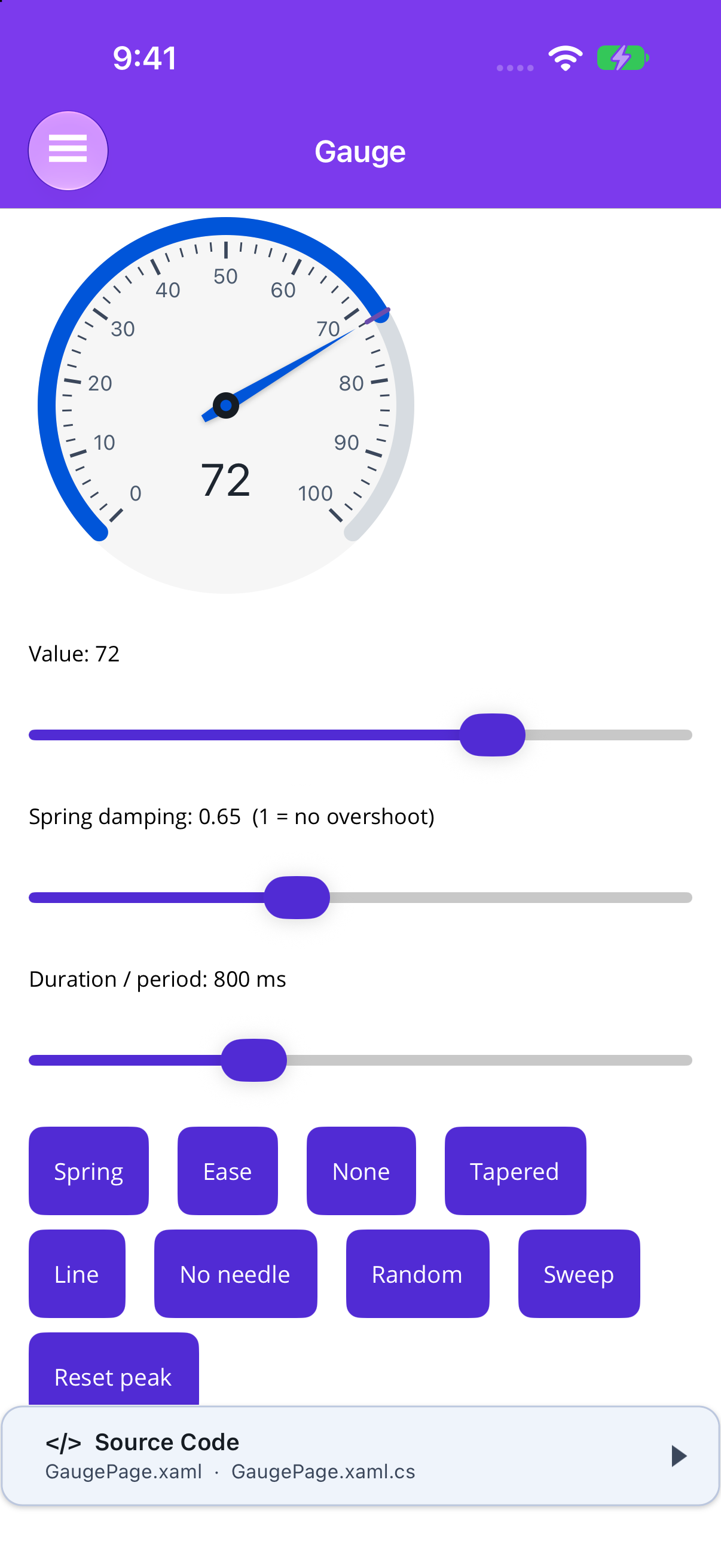
AnimationDuration is the spring’s period, roughly how long the needle takes to arrive. SpringDamping 1 never overshoots; 0.5-0.7 is a lively analogue needle. |
Ease |
A fixed-length ease-out from wherever the needle is. Good for slow values like temperature. |
None |
Snaps. Setting AnimationDuration to zero does the same. |
A value set during a sweep changes where the sweep comes back to; it doesn’t cut the sweep short.
Properties
Section titled “Properties”| Property | Type | Default | Description |
|---|---|---|---|
| Value | double | 0 | Where the needle is heading; clamped to the scale |
| Minimum / Maximum | double | 0 / 100 | The scale |
| StartAngle / SweepAngle | double | -135 / 270 | Compass degrees |
| Animation | GaugeAnimation | Spring | Spring, Ease, None |
| AnimationDuration | TimeSpan | 800ms | Spring period or ease length |
| SpringDamping | double | 0.65 | 1 = no overshoot |
| SweepOnLoad | bool | false | Ignition sweep on first appearance |
| TrackThickness | double | 10 | MAUI px; Blazor dial units (radius 100). 0 hides the track and value arc |
| TrackColor | Color?/string | SurfaceContainerHighest | Unfilled track |
| ShowValueArc / ValueArcColor | bool / Color?/string | true / Primary | Fill from the minimum to the needle |
| ColorValueArcByRange | bool | true | Arc takes the colour of the range the needle is in |
| Ranges | GaugeRange list | empty | Start, End, Color |
| RangeThickness | double | 4 | 0 hides the bands but keeps the arc colouring |
| ShowTicks / ShowTickLabels | bool | true | |
| MajorTickInterval | double | 0 | 0 = automatic 1-2-5 interval |
| MinorTicksPerMajor | int | 4 | |
| TickLabelFormat | string | {0:0.##} |
Composite format |
| TickColor | Color?/string | OnSurfaceVariant | Ticks and labels |
| NeedleStyle | GaugeNeedleStyle | Tapered | Tapered, Line, None |
| NeedleColor / HubColor | Color?/string | Primary / OnSurface | |
| NeedleLength | double | 0.8 | Fraction of the radius |
| FaceColor | Color?/string | null | Disc behind the dial; off by default |
| ShowReadout / ReadoutDecimals | bool / int | true / 0 | |
| Units / Title / TextColor | string / string / Color?/string | null / null / OnSurface | |
| ShowPeak / PeakColor | bool / Color?/string | false / Tertiary | Peak hold |
| Size | string | 220px | Blazor CSS width; height follows the shape |
Read-only: PeakValue (both), NeedleValue and IsNeedleMoving (MAUI). Methods: ResetPeak(), Sweep() (MAUI) / SweepAsync() (Blazor). Event: NeedleSettled (MAUI) / OnNeedleSettled (Blazor).
On Blazor every colour is also a CSS custom property (--shiny-gauge-track, -arc, -tick, -needle, -hub, -text, -peak) that you can set anywhere up the tree.
Accessibility
Section titled “Accessibility”MAUI sets SemanticProperties.Description to the title, value and units. Blazor renders role="meter" with aria-valuemin, aria-valuemax, aria-valuenow and aria-valuetext, and uses the title as aria-label.