


Spreadsheet | Sort, Filter & Validation
The Data tab, the fill commands on Home ▸ Editing, and the notes and links on Insert and
Review. Every command is one undo step on SpreadsheetController.
Data ▸ Sort & Filter — A→Z, Z→A and Sort… for a multi-level sort. The quick sorts act on the current region and detect a header row.
controller.SortAscending(); // current region, header detectedcontroller.Sort([new SortKey(2, Descending: true), new SortKey(0)], hasHeader: true);AutoFilter
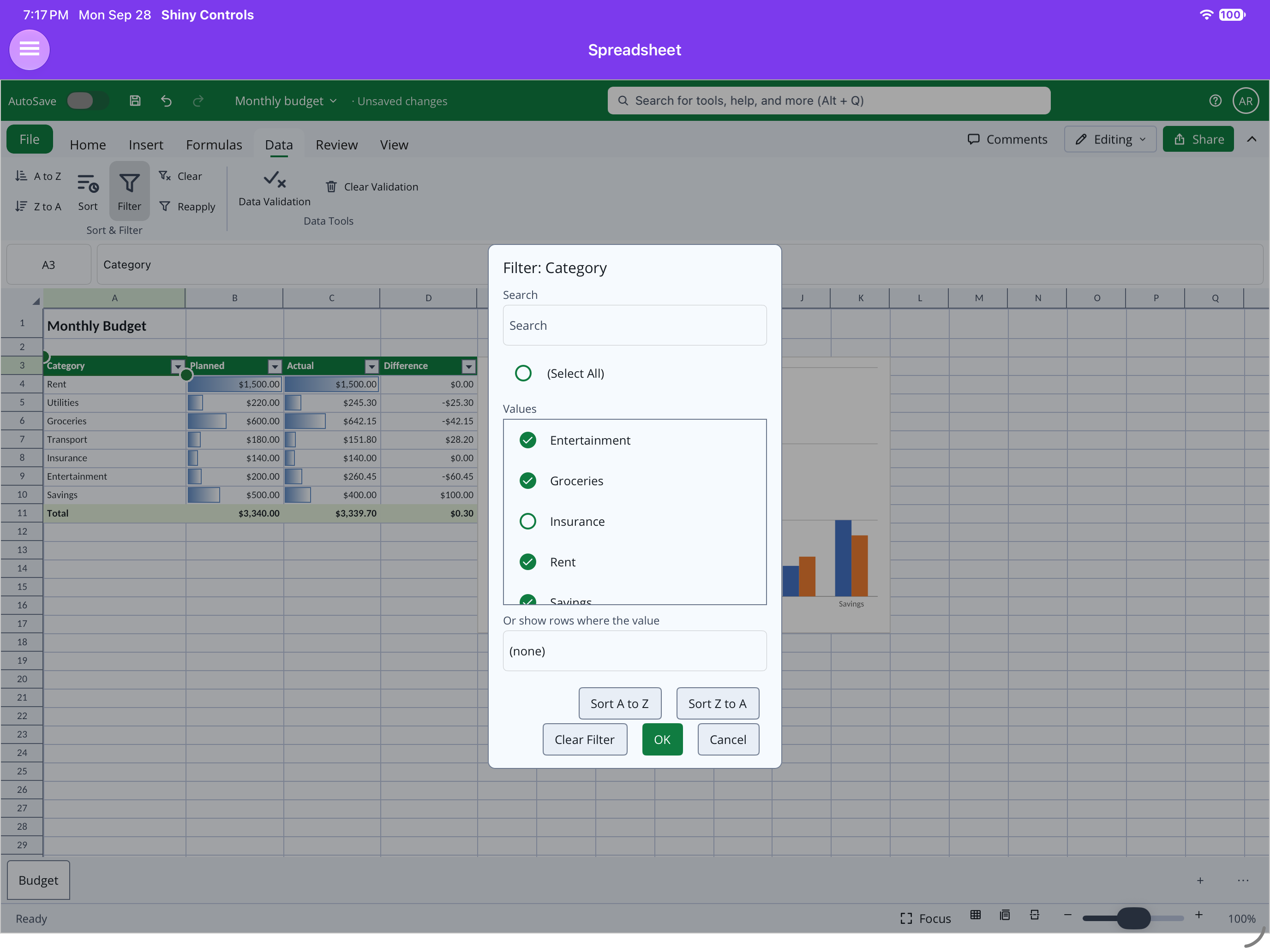
Section titled “AutoFilter”Data ▸ Filter (Ctrl+Shift+L) puts filter arrows on the header row. Each column filters by a value list or by text and number conditions; Clear and Reapply are next to it.
| .NET MAUI (iPad) | Blazor WebAssembly |
|---|---|
 |
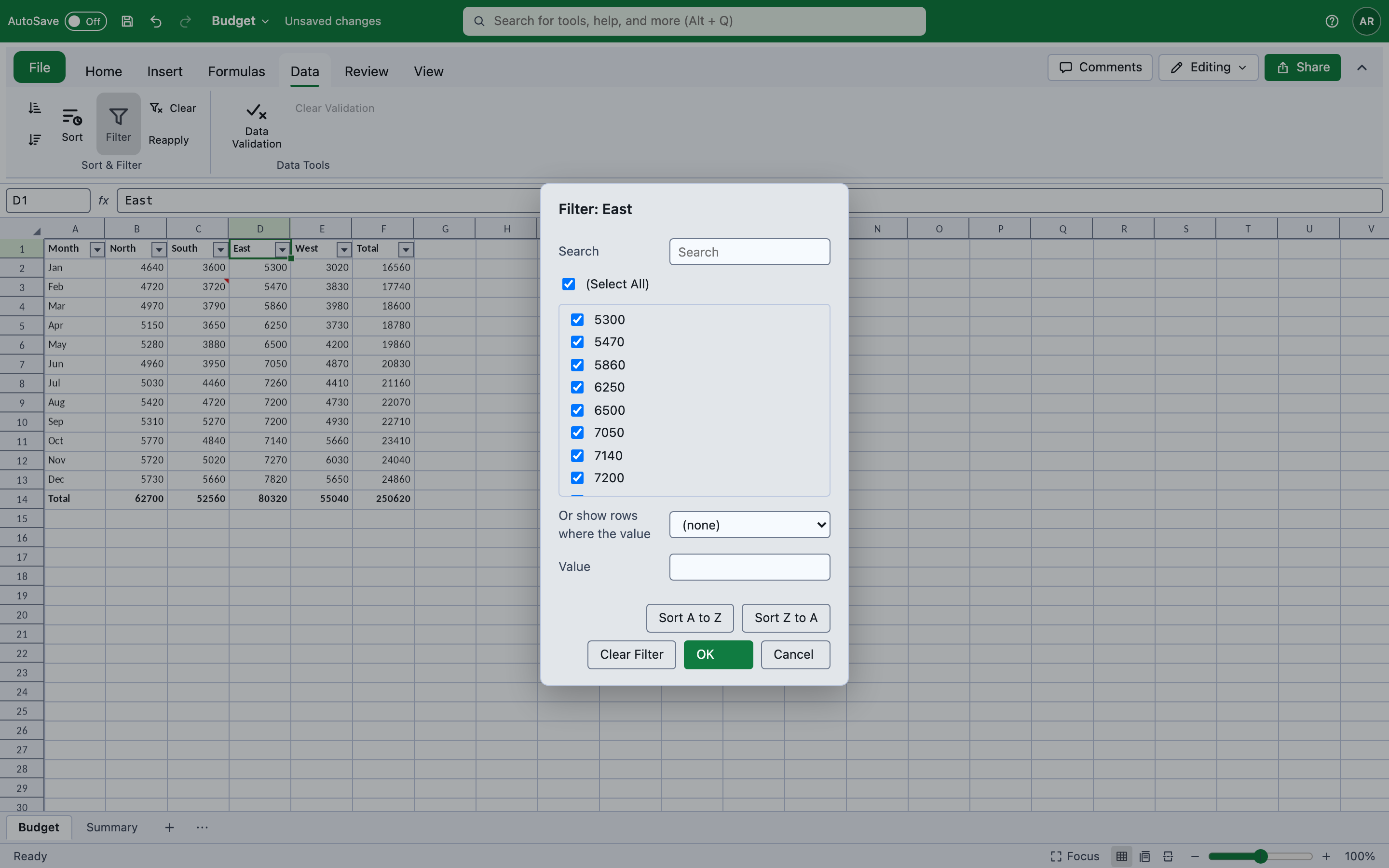 |
controller.ToggleAutoFilter();controller.ApplyColumnFilter(sheet.AutoFilter!, 1, ColumnFilter.ForValues(1, ["North"]));Filters write both halves. An AutoFilter is the <autoFilter> element and hidden="1" on each
rejected row. Excel does not re-run a filter on open — it trusts the hidden rows — so the two are one
command, and undo restores both. The status bar’s statistics count only the visible cells, so a filtered
column sums what is on screen.
Data validation
Section titled “Data validation”Data ▸ Data Tools ▸ Data Validation restricts what a cell accepts. A list rule gives the cell an in-cell dropdown of its values, drawn the same way on both hosts.
controller.SetValidation(DataValidationRule.ForList(["Red", "Green", "Blue"]));controller.SetValidation(DataValidationRule.ForNumber(ValidationType.Whole, ValidationOperator.Between, "1", "10"));controller.SetValidation(null); // clearscontroller.ValidationFailed += (_, failure) => { }; // refused input never reaches the cellDrag the fill handle on the selection’s corner to extend a value or a series; Home ▸ Editing ▸ Fill has Down and Right, as do Ctrl+D and Ctrl+R. The fill handle continues series, weekdays and “Q1”→“Q2”, and rebases formulas.
controller.FillDown(); // Ctrl+Dcontroller.FillRight(); // Ctrl+Rcontroller.AutoFillTo(range); // what the fill handle doesNotes and links
Section titled “Notes and links”Insert ▸ Note / Review ▸ Notes — New/Edit, Delete, Previous, Next and Show All Notes. A note is
text in the comments part plus a hidden shape in a VML drawing; without the shape Excel keeps the note
and never shows it, so both are rewritten together. New notes are signed with the view’s UserName,
and the shell’s comments pane lists every note in the workbook.
Insert ▸ Link (Ctrl+K) adds a cell hyperlink.
controller.SetNote("Check this");controller.SetHyperlink(new CellHyperlink(cell) { Address = "https://shinylib.net" });