


TreeDataGrid
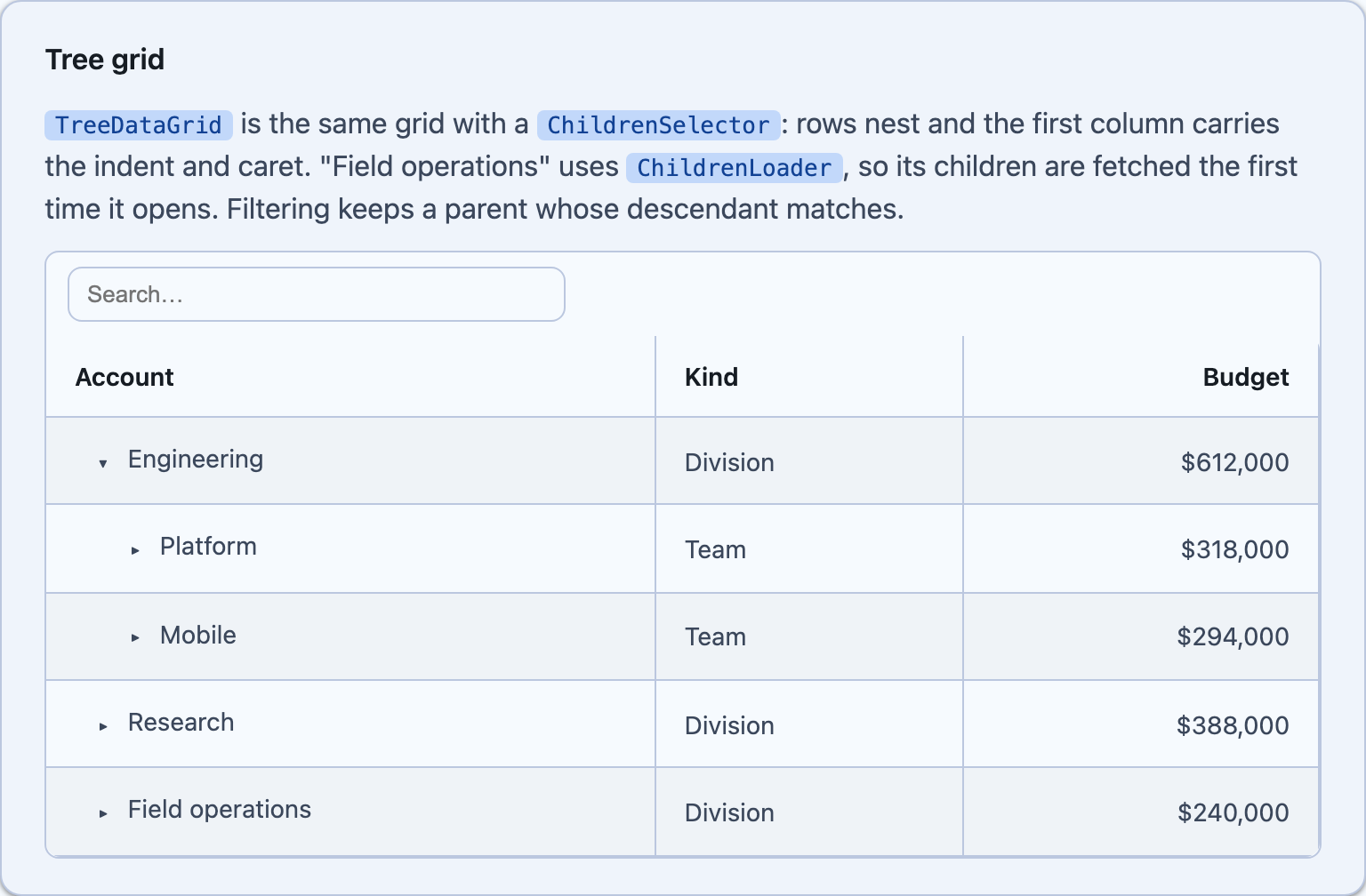
Hand the grid a ChildrenSelector and rows nest: the first visible column carries the indent and the expand caret, and no extra column is added. TreeDataGrid is the same control under a name that says what it is — every other grid feature (columns, sorting, filtering, frozen columns, selection, editing, aggregates) works exactly as it does on a flat grid.
@* Blazor *@<TreeDataGrid TItem="CostNode" Items="accounts" ChildrenSelector="n => n.Lazy ? null : n.Children" ChildrenLoader="LoadChildrenAsync" HasChildrenSelector="n => n.Lazy || n.Children.Count > 0" TreeIndentSize="18" FilterMode="DataGridFilterMode.Toolbar" Striped="true" Bordered="true"> <Columns> <PropertyColumn Property="x => x.Name" Title="Account" /> <PropertyColumn Property="x => x.Kind" /> <PropertyColumn Property="x => x.Budget" Format="C0" /> </Columns></TreeDataGrid><!-- MAUI - the selectors are BindableProperties, so they bind straight to a view model --><shiny:TreeDataGrid ItemsSource="{Binding Accounts}" ChildrenSelector="{Binding ChildrenSelector}" ChildrenLoader="{Binding ChildrenLoader}" HasChildrenSelector="{Binding HasChildrenSelector}" TreeIndentSize="18" Striped="True" Bordered="True"> <shiny:DataGridColumn Title="Account" PropertyName="Name" Width="2*" /> <shiny:DataGridColumn Title="Kind" PropertyName="Kind" Width="1*" /> <shiny:DataGridColumn Title="Budget" PropertyName="Budget" StringFormat="{}{0:C0}" Width="1.2*" /></shiny:TreeDataGrid>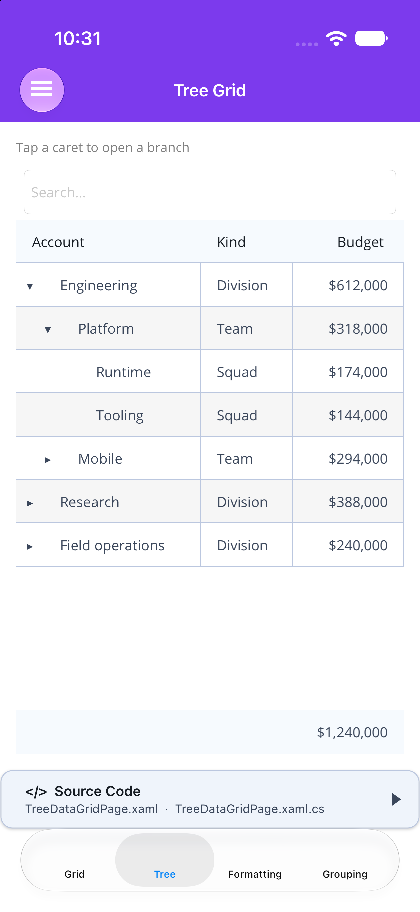
Loading levels
Section titled “Loading levels”ChildrenSelector answers from memory. ChildrenLoader fetches a level the first time its row is expanded — a spinner replaces that row’s caret meanwhile — and the result is cached until you call InvalidateChildren. If the fetch throws, the row collapses again and ChildrenLoadFailed reports it.
Give HasChildrenSelector when you want leaves to render caret-free before anything has loaded. Without it a row with a loader attached and nothing cached is assumed to have children — better to offer a caret than to hide a branch that turns out to have something in it.
How the pipeline treats a hierarchy
Section titled “How the pipeline treats a hierarchy”- Sorting and filtering apply per level, so children stay under their parent instead of being scattered into a global order.
- A row is kept when a descendant matches the filter, even if the row itself does not — otherwise the match would sit under a pruned parent and be unreachable. Branches that have not loaded yet are kept for the same reason: they cannot be searched, so they are not pruned on a guess.
- Paging pages the roots, and footer aggregates are computed over the roots too.
- Tree mode and
Groupableare mutually exclusive — grouping wins, since the two impose competing row orders. ExpandAllopens every already-loaded level. It does not fetch: the depth of a lazily loaded tree is unbounded.
A tree row can also carry a detail row — set both ChildrenSelector and RowDetailTemplate and the caret column drives the breakdown while the inline caret drives the children. Reach for a detail row when the extra content is about the row, and for tree mode when the extra rows are more of the same thing one level down.
Next Steps
Section titled “Next Steps”| Topic | Description |
|---|---|
| Detail (Breakdown) Rows | a full-width row under an expanded row |
| Getting Started | declaring a grid and its columns on both hosts |