


Diagram Layouts
LayoutKind picks the arrangement. It is called LayoutKind rather than Layout on both hosts,
because on MAUI a property named Layout hides VisualElement.Layout(Rect) — and two hosts with the
same feature under two names is a trap for anyone writing against both.
| Layout | What it is for |
|---|---|
Tree |
Tidy hierarchy — the org chart and decision tree layout. The default. |
Layered |
Directed graph (Sugiyama) — a flowchart that rejoins or loops back. |
MindMap |
Root in the middle, branches fanned to both sides. |
Radial |
Root in the middle, each level on a ring around it. |
ForceDirected |
Physics relaxation, for a graph with no hierarchy worth speaking of. |
None |
Every node keeps the X/Y it was given. |
Buchheim, Jünger and Leipert’s linear-time refinement of Walker’s tidy-tree algorithm, extended for nodes of different sizes. The property that matters is the tidy one: a parent sits centred over its children, subtrees never overlap, and two identical subtrees are drawn identically wherever they appear. The naive alternative — place each level left to right by index — is a few lines long and produces a chart where a parent floats over the wrong child and wide subtrees collide.
The hierarchy comes from DiagramNode.Parent when any node has one, and is otherwise derived from
the connections as a breadth-first spanning forest. That second path is what lets a diagram declared
as nothing but shapes and connections — the shape most people reach for first — lay out as a tree
without being restructured.
Direction turns it: TopToBottom (default), BottomToTop, LeftToRight, RightToLeft.
Tip-over
Section titled “Tip-over”TreeStyle = DiagramTreeStyle.TipOver stacks children along the growth axis and indents them, the way
a file tree does. A manager with twelve reports is twelve node-widths across under Normal and one
node-width across here, which is the difference between a deep chart fitting on a phone and not.
Layered
Section titled “Layered”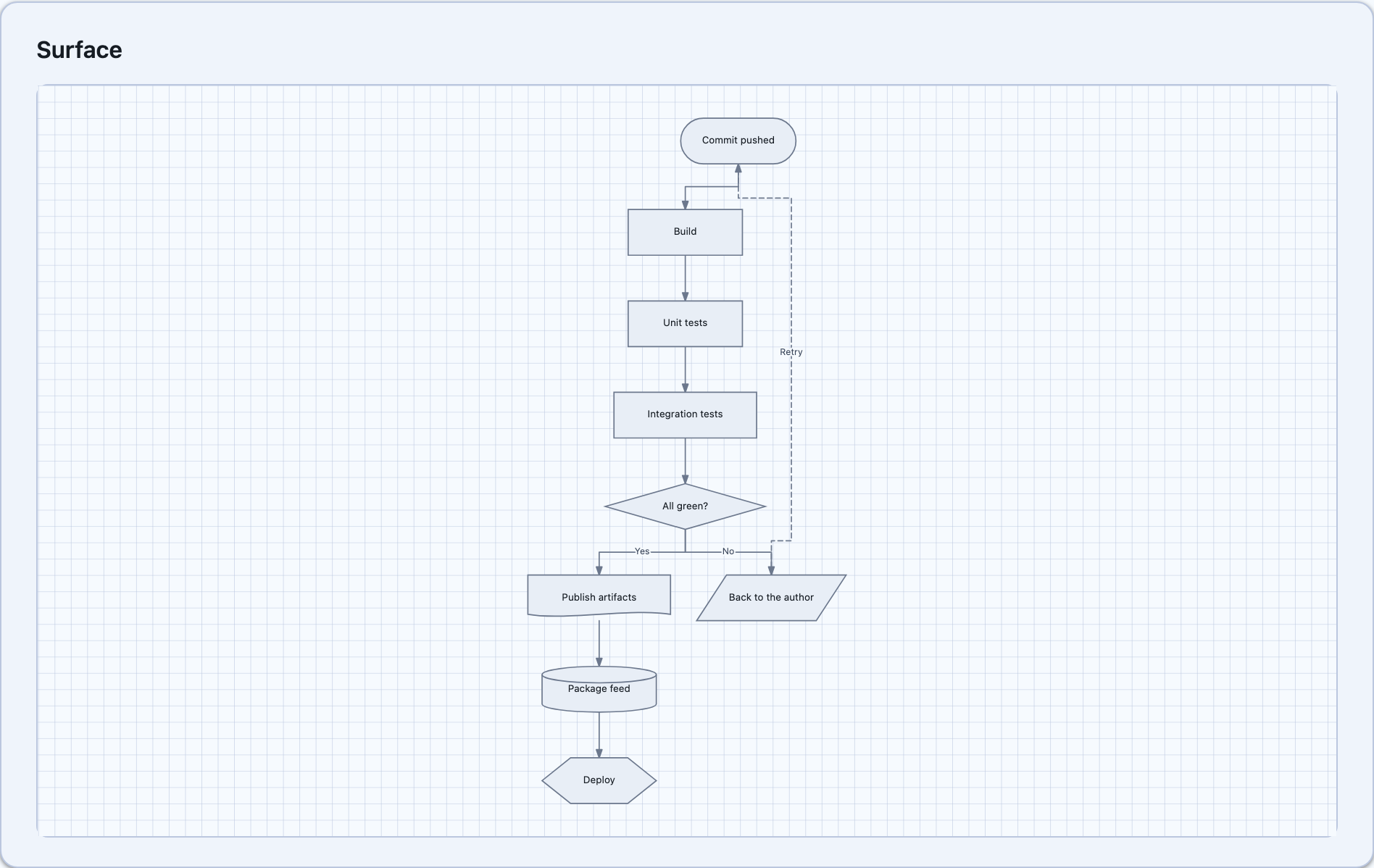
The Sugiyama pipeline: break cycles by reversing back edges, assign layers by longest path, thread long edges through dummy nodes, reorder within layers to cut crossings, then place and straighten.
Reach for this the moment the graph rejoins or loops back. Tree arranges a hierarchy, so a
graph whose branches rejoin — three outcomes that all land on “Resolved” — has to lose an edge to
become a tree. Layered keeps every edge, and an edge spanning several layers is threaded around the
nodes in between rather than drawn straight through them.
An edge that had to be reversed to break a cycle is flagged as DiagramConnection.IsReversed. The
line is still drawn source-to-target with its caps the right way round; the flag only says the layer
assignment treated it backwards, which is worth surfacing because it explains an edge that appears to
run against the flow.
MindMap
Section titled “MindMap”
The same tidy packing as Tree, run once per branch: the root’s children are split into two halves
and each half grows away from the centre in its own direction. It is worth a separate layout because
it halves the width of a wide first level — which is exactly the level a mindmap has most of its nodes
on.
The split is by count rather than alternating, so the first half of the children stay together on one side in the order they were declared. Alternating reads better in the abstract and worse in practice: a run of siblings that belong together ends up interleaved across the centre line.
Radial
Section titled “Radial”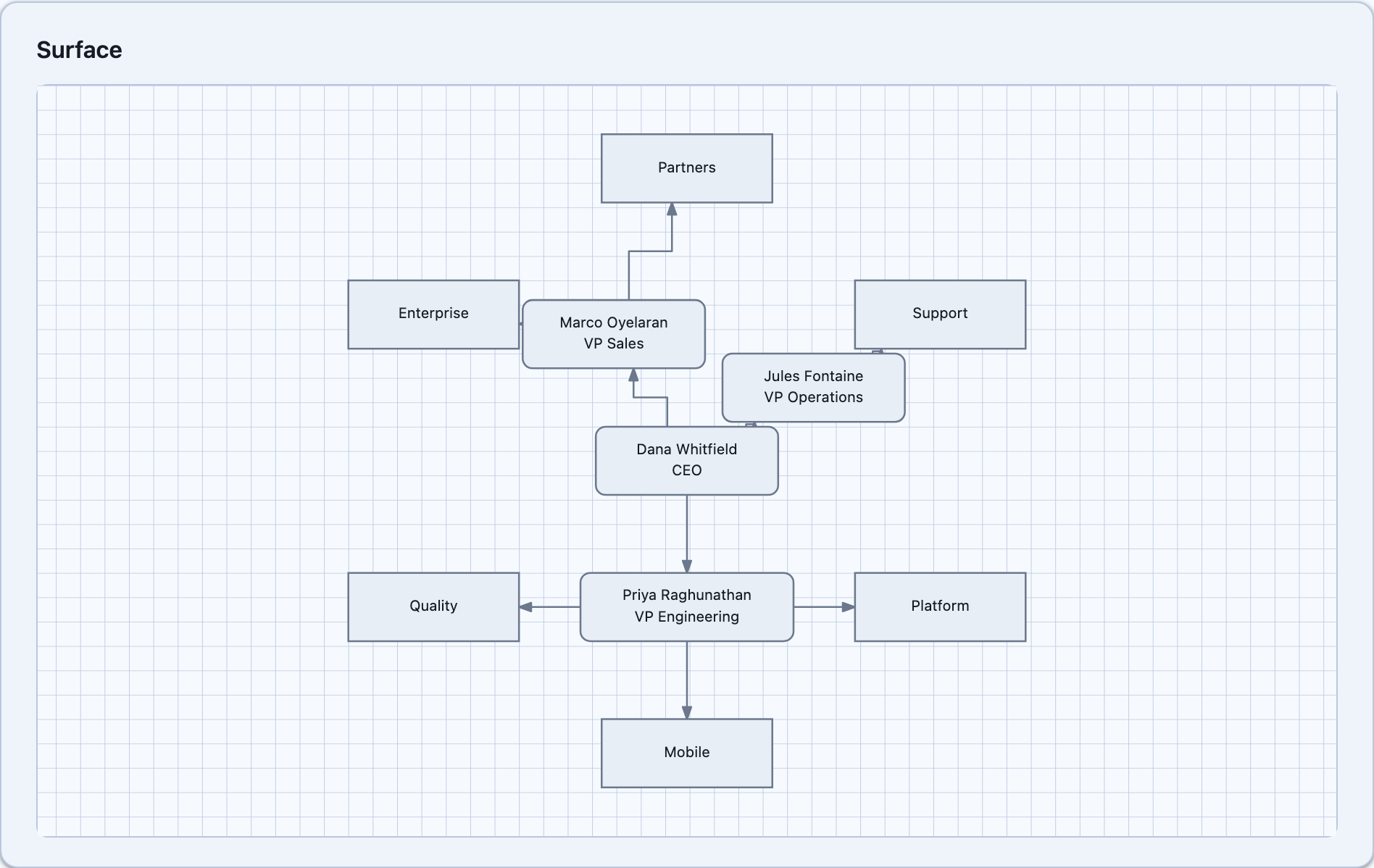
Root at the centre, each level of the hierarchy on a ring around it. Every node is given an angular sector and divides it among its children in proportion to how many leaves each subtree ends in — weighting by leaf count rather than child count is what stops a branch with one child and forty grandchildren being squeezed into the same wedge as its leafless sibling.
Rings are evenly spaced by RadialRingSpacing rather than sized from their contents: a ring wide
enough for its widest node grows the whole diagram for one long label, and unlike a row in a tree
there is nowhere else for that node to go.
Force-directed
Section titled “Force-directed”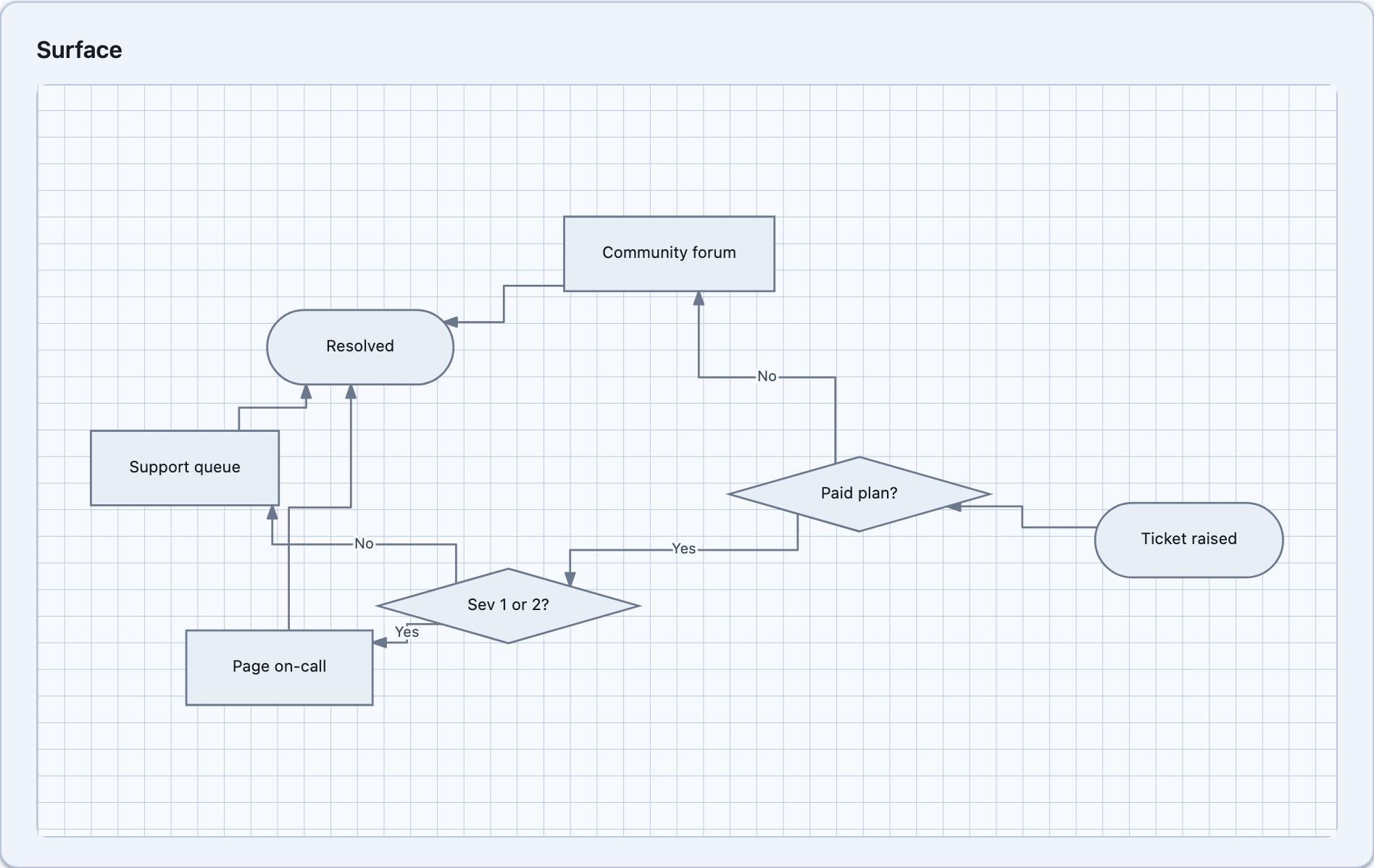
Fruchterman and Reingold. Every node repels every other, every connection pulls its two ends together, and the whole thing cools over a fixed number of passes. It is the layout for a network or a dependency web, and the wrong choice for anything an org chart or a decision tree would recognise.
Two deliberate departures from the paper:
- The starting positions are a circle indexed by supply order, not random. Seeding randomly would mean the MAUI and Blazor controls settle the same graph into two different pictures — and the same control into a different picture on every rebuild. Determinism costs nothing here and is worth more than the marginally better minimum a random restart occasionally finds.
- The pass count is fixed rather than run to convergence. This runs on the UI thread inside a layout pass, and a convergence test that does not converge is a frozen app.
A pinned node still pushes on everything else and never moves itself, so force-directed doubles as a nudge on a hand-arranged diagram rather than only an all-or-nothing rearrangement.
Pinning
Section titled “Pinning”DiagramNode.IsPinned holds a node at its position through a re-layout. Dragging a node sets it
automatically — an auto-layout that snapped a hand-placed node back the next time anything changed
would make dragging useless. The space the node occupies is still reserved by the packing, so its
neighbours do not close over the gap.
Connectors follow the layout
Section titled “Connectors follow the layout”SourcePort and TargetPort default to Auto. Under Tree, Layered and MindMap an Auto port
snaps to the layout’s own axis, so a top-down chart’s arrows arrive in the tops of its boxes rather
than in their sides. Under Radial, ForceDirected and None there is no axis to prefer, so the
nearest edge wins — snapping to one of four sides on a wheel would send every spoke out sideways
regardless of where it was actually going.
Determinism
Section titled “Determinism”Every layout is deterministic: the same graph and the same options produce the same coordinates every time, on both hosts. Ordering passes break ties by the original index rather than relying on an unstable sort, and nothing iterates a dictionary’s natural order.